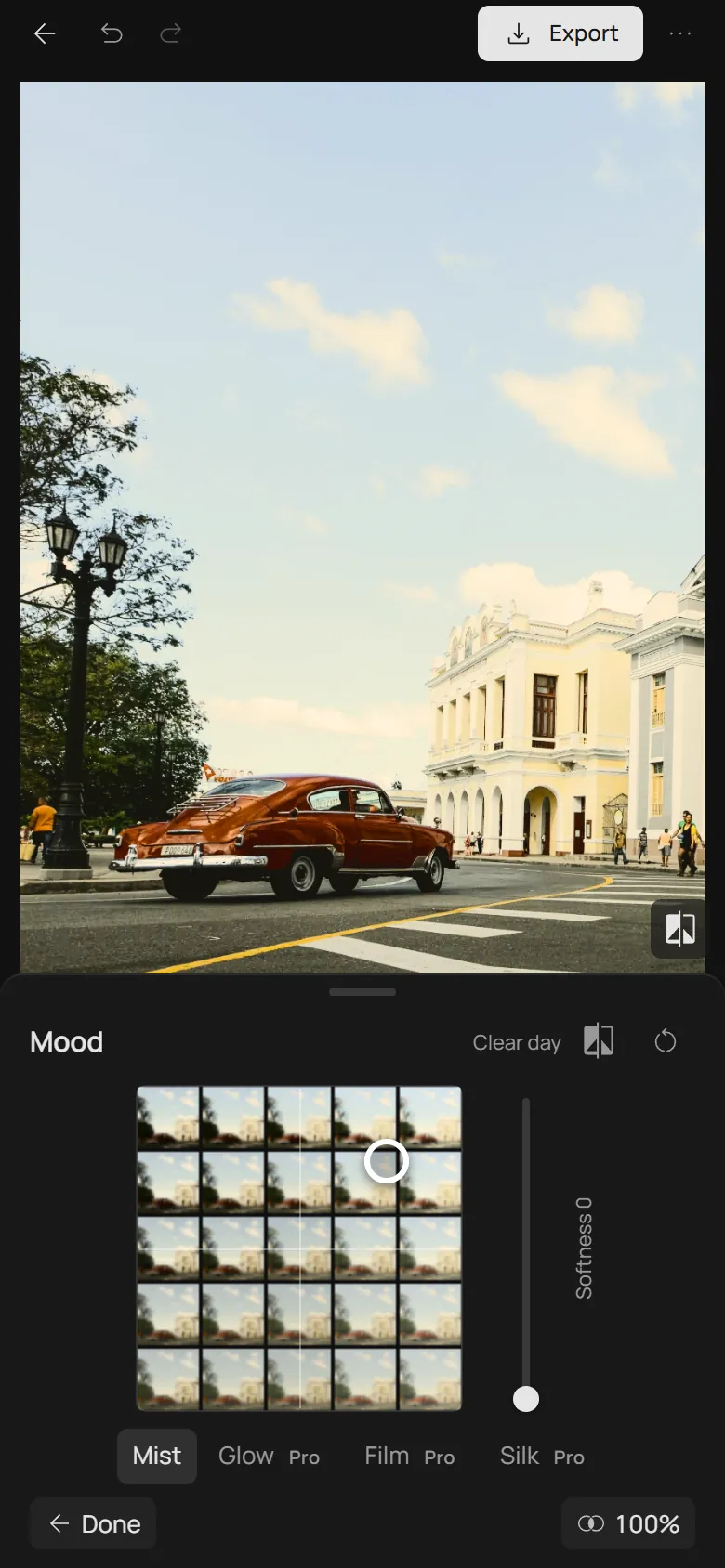
Grade a photo in two moves
Space has two pads: the colour of the light and the mood. Set the light, then the mood, and most photos are done.
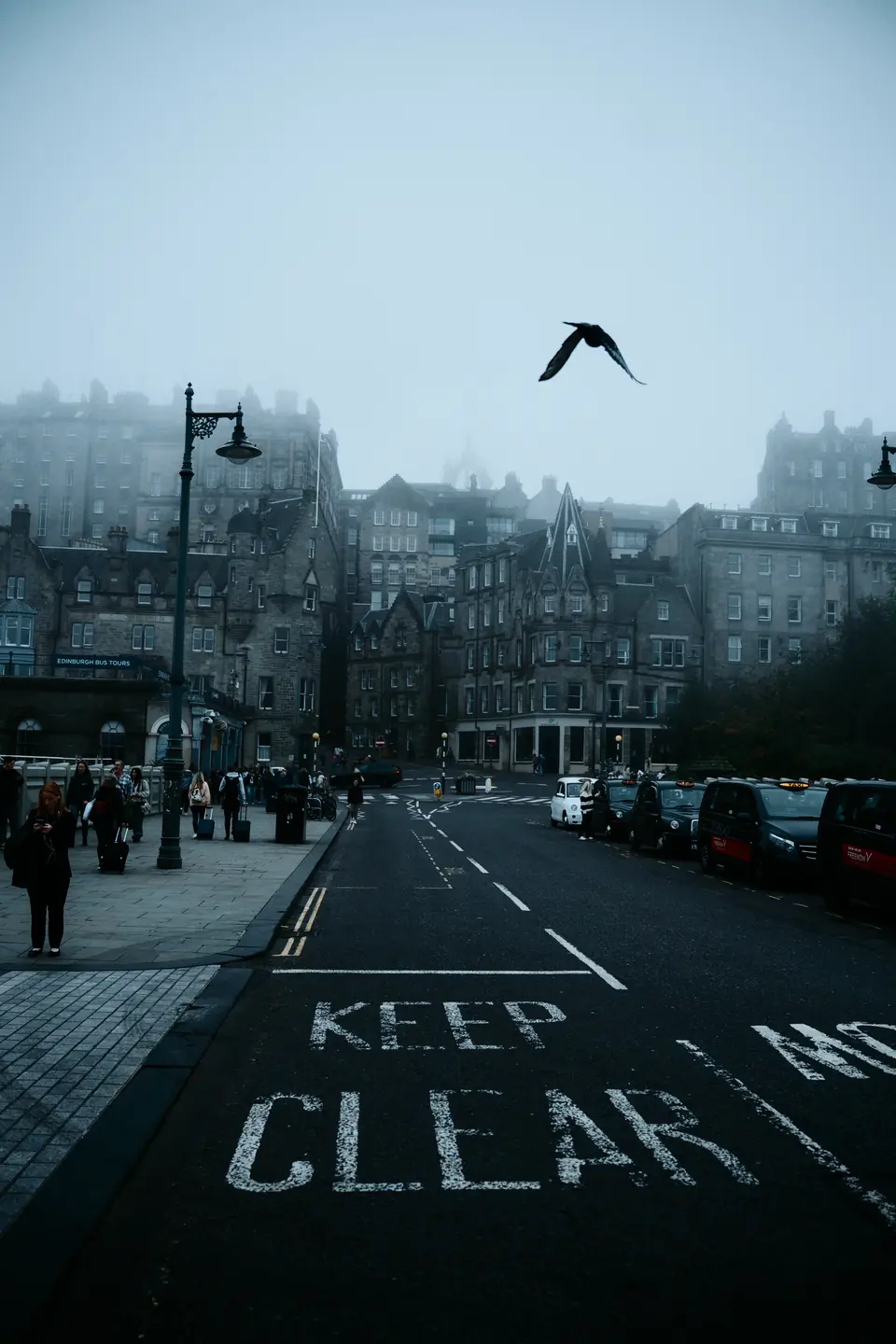
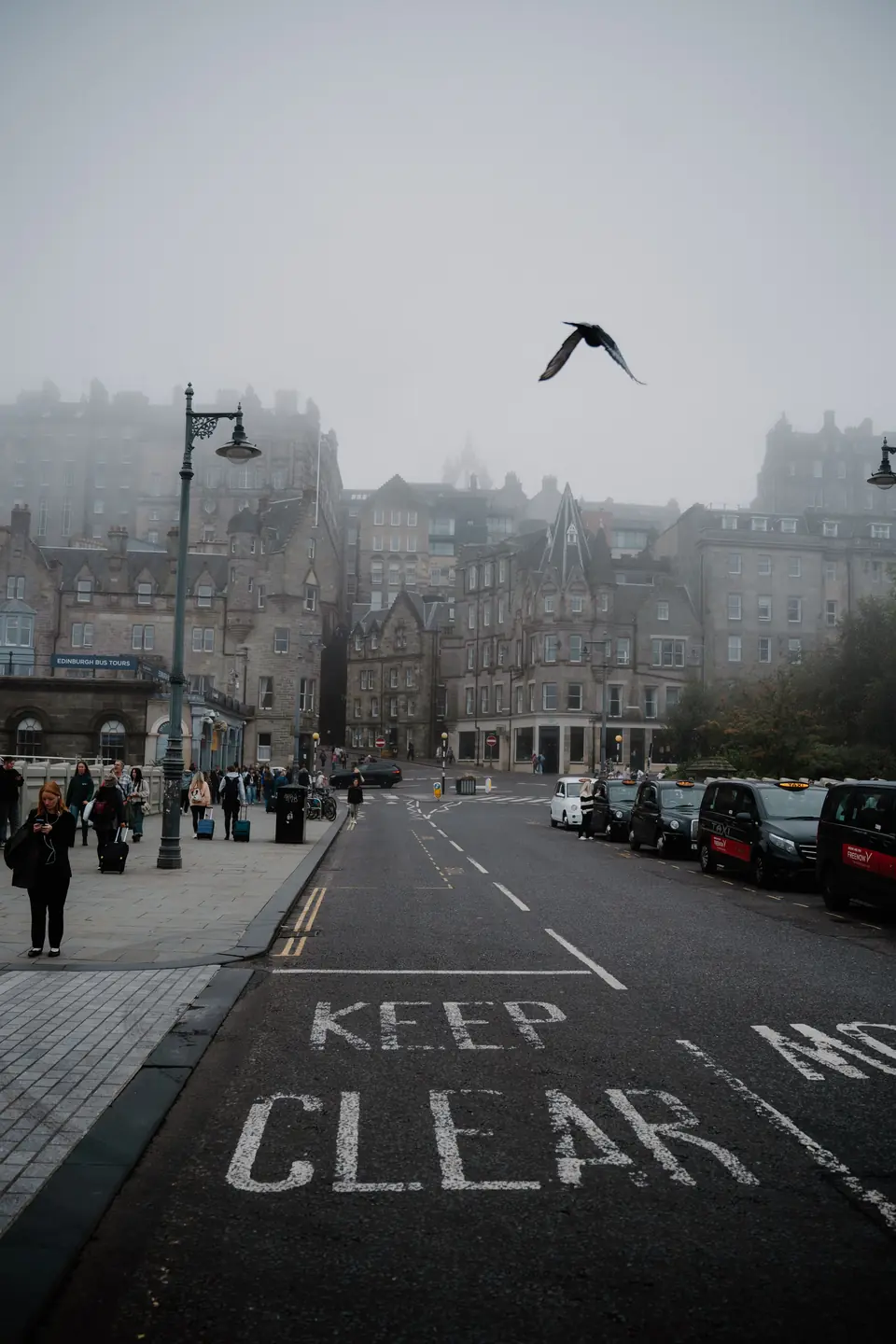
First move: the colour of the light
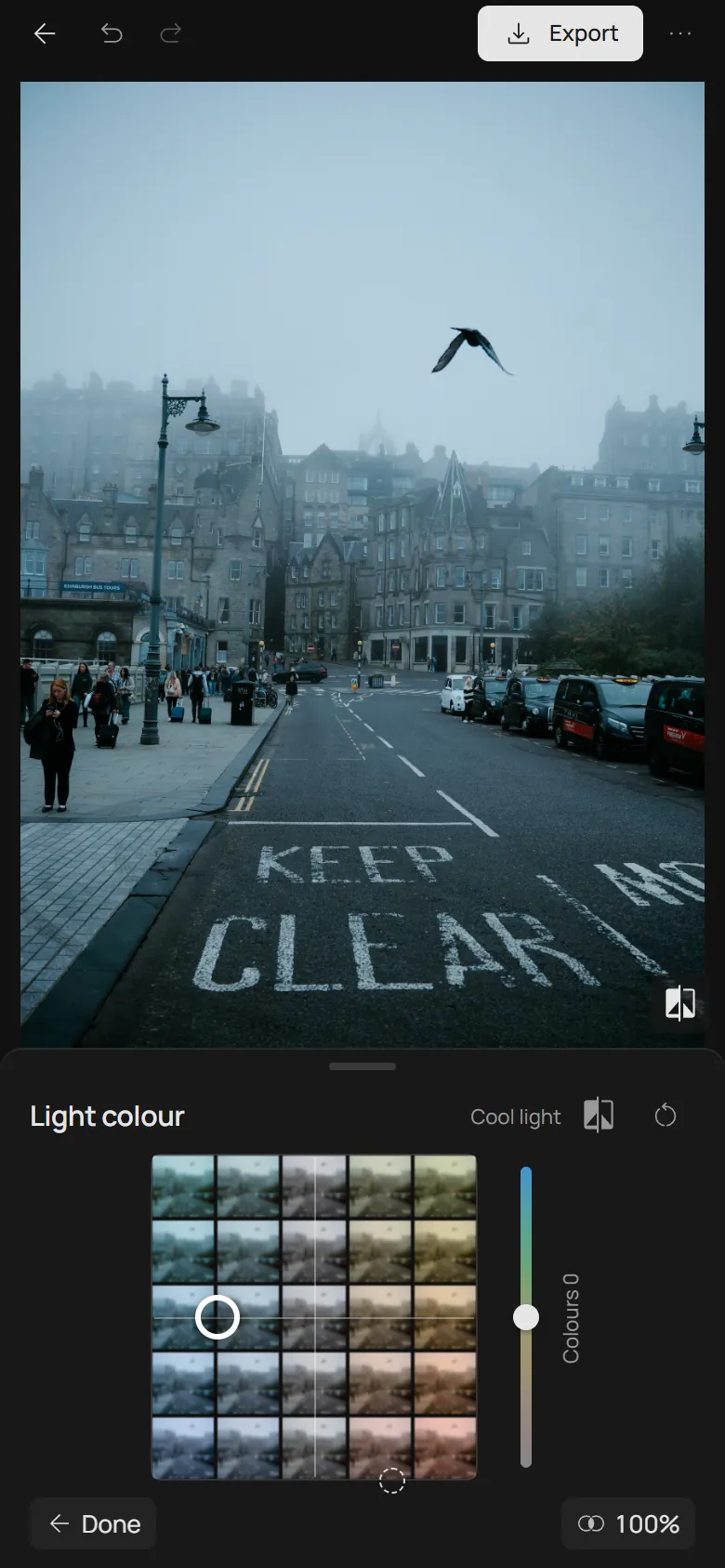
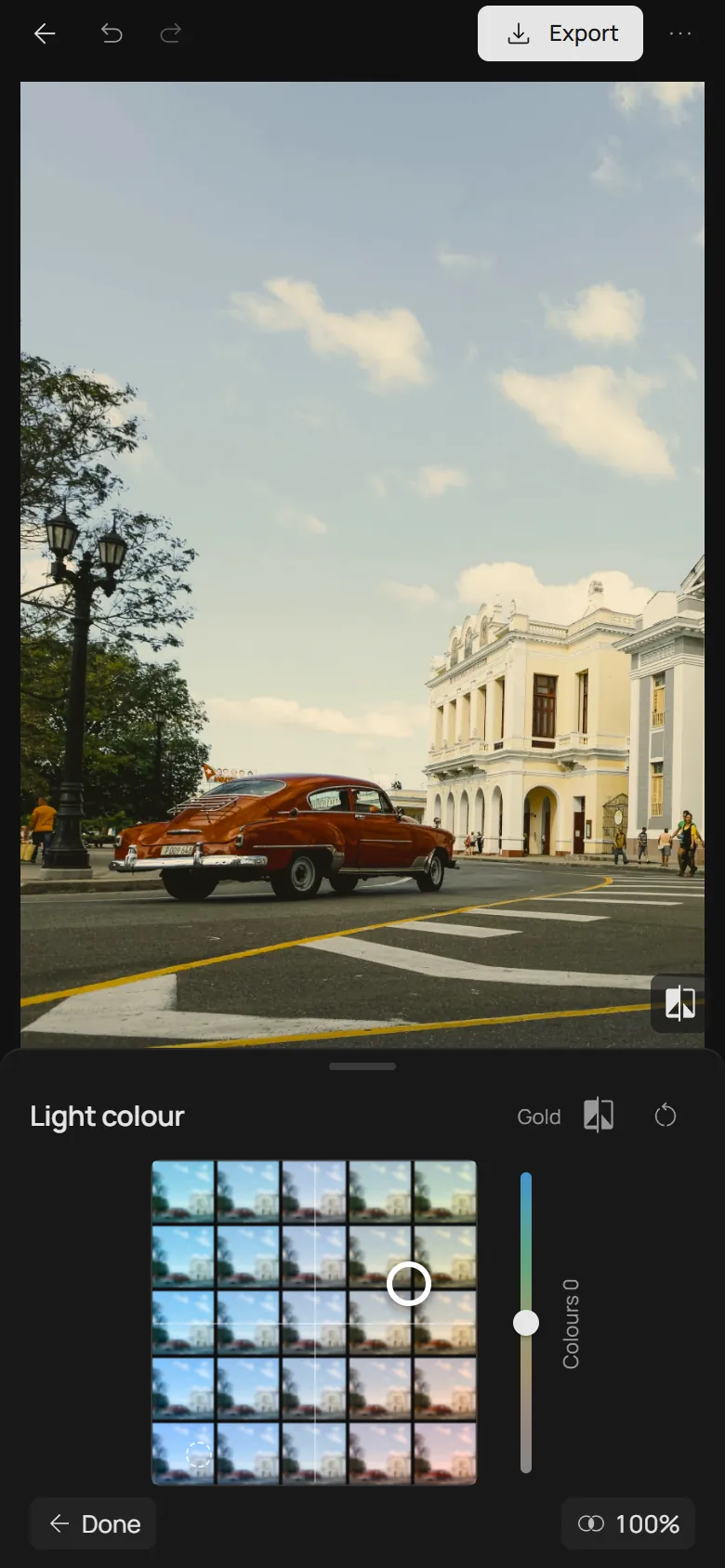
Open your photo, turn on Space and open Light colour. Every tile of the pad is your photo in that light: left is colder, right is warmer, and up and down choose the shade, from olive and gold to sunset, or from turquoise to blue hour.
The dashed ring marks where the photo leans by itself. When that lean comes from the light, such as sun on a field, a lamp or late afternoon, drag the point the same way. You strengthen the light the photo already has, so the result still looks natural. Go until the light reads across the whole frame, usually about halfway to the edge; if the ring is already near the edge, a short move is enough.
Sometimes a large coloured thing pulls the ring instead of the light: a blue sky, a green lawn, or the pink mist in the street above. Then choose the light yourself. Gold suits most daylight and skin; cool light suits mist, rain and quiet mornings.
Second move: the mood
Open Mood. Its mosaic is already drawn in the light you chose, so you compare moods in your own colour. Left is darker, right is lighter; up adds contrast, down fades it like an old print.
Streets, strong sun and night scenes usually suit Drama: darker and denser. Portraits and bright daylight suit Clear day. Soft, airy scenes suit Faded day; evenings and dim rooms suit Dusk. Stop a little over halfway to the corner. The far corners are for strong styles, not for most photos.
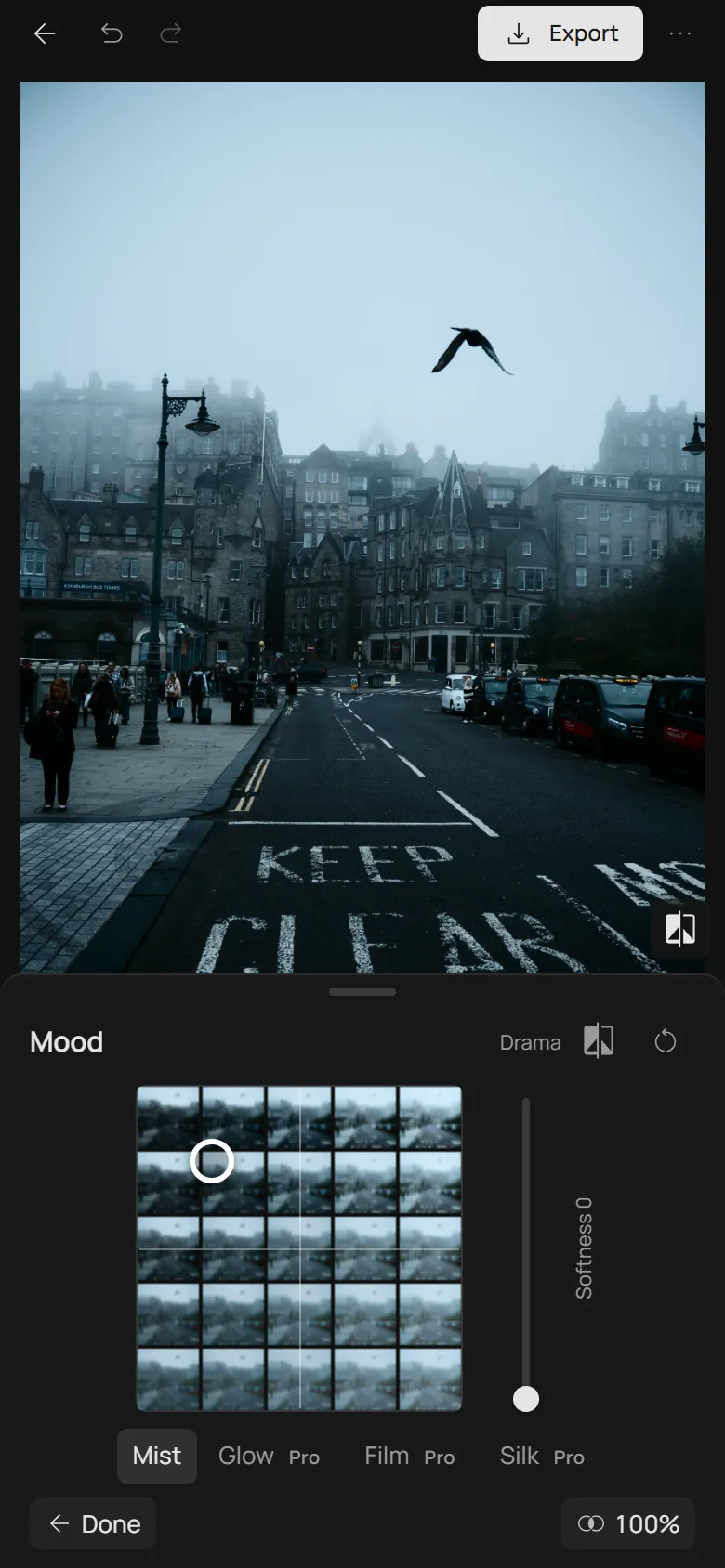
Check the whites, then stop
Look at something that should be white or grey: a wall, a shirt, a cloud. After both moves it should stay white, only a little warmer or cooler. If a wall turns yellow or a cloud turns blue, the light is too strong: move the light point back toward the centre or lower Colours, the slider beside the pad.
For most photos that is the whole edit. Colours makes all of the colour quieter or louder; Softness adds a mist, glowing lights, a film camera’s halo or a fine silk (Glow, Film and Silk are Pro). Reach for them when the photo asks, not by default. When the look works, save it as a preset and apply it to your other photos.
When two moves are not enough
Space does not repair exposure: a burnt-out sky stays white and closed shadows stay black. Correct exposure in Adjust, which works on top of Space. Heavily compressed images, such as screenshots, can show bands across the sky after a strong grade.
Mixed light, like neon signs or a lamp beside a window, has no single light to follow, and the pad tints all of it together. Start gently there, or compare a film instead. When one colour needs its own correction, Palette, Tone balance and the Lightness curve sit behind the pads.
The same two moves on three more photos
Each photo in the editor: the Light colour pad before the move, with its ring, then each pad after its move. The captions say where the points went.
- Before: the ring
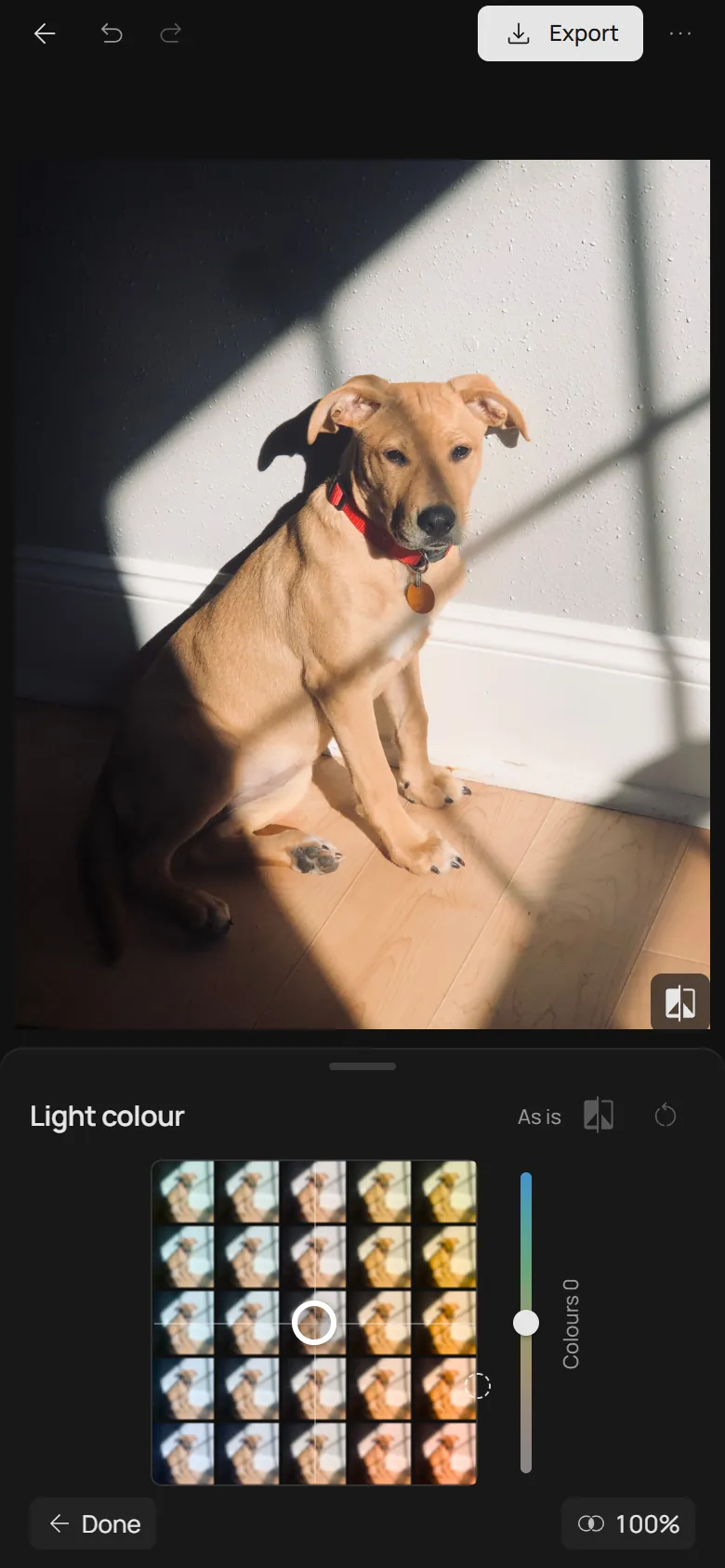
- 1. Light colour
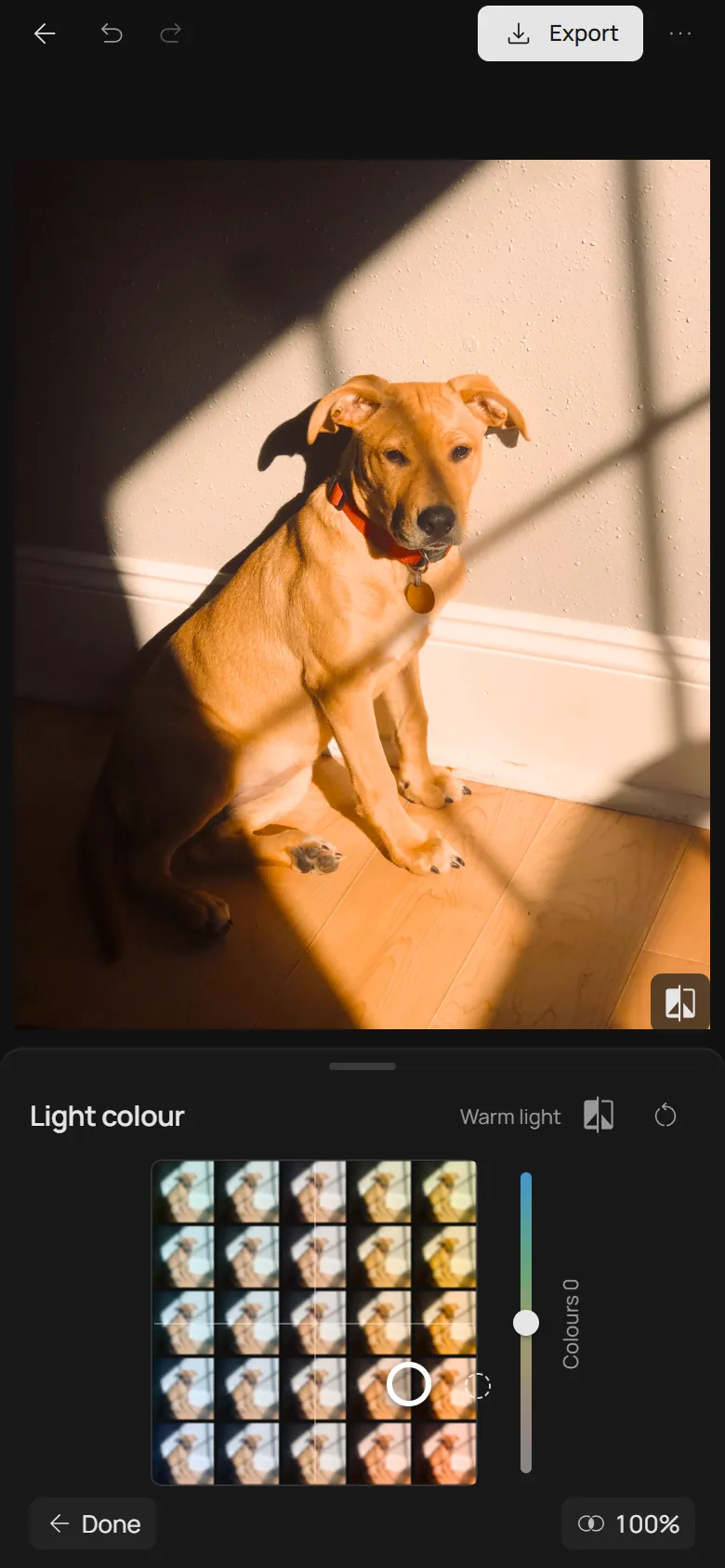
- 2. Mood
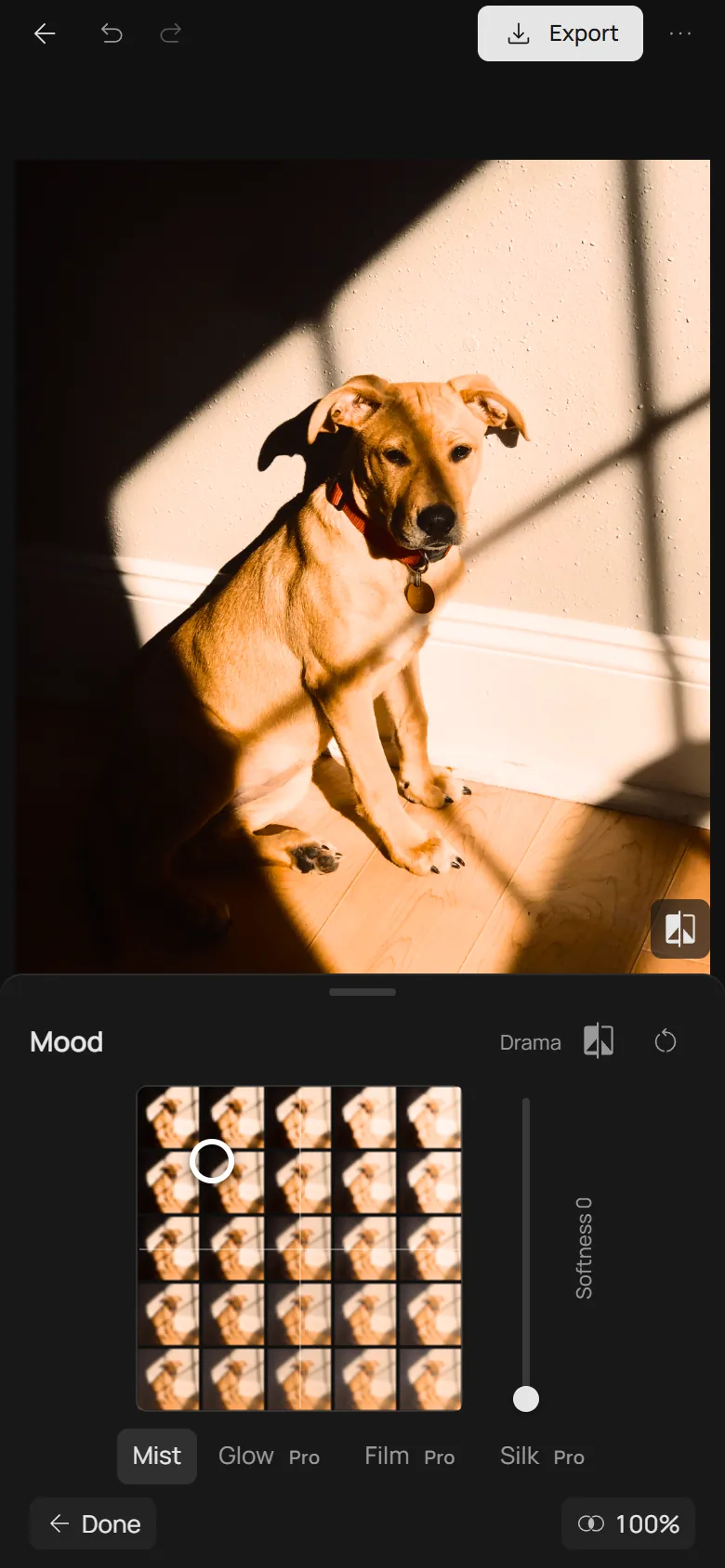
- Before: the ring
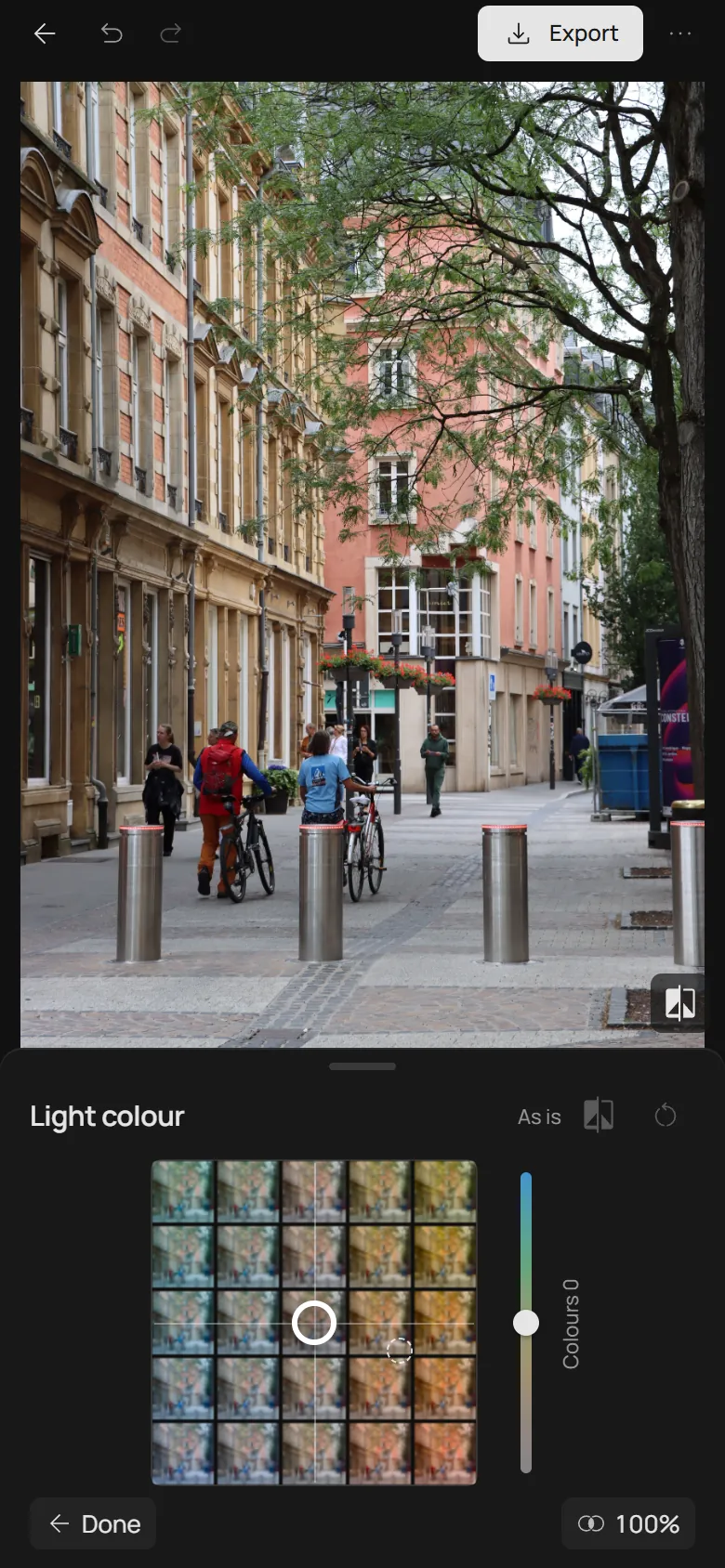
- 1. Light colour
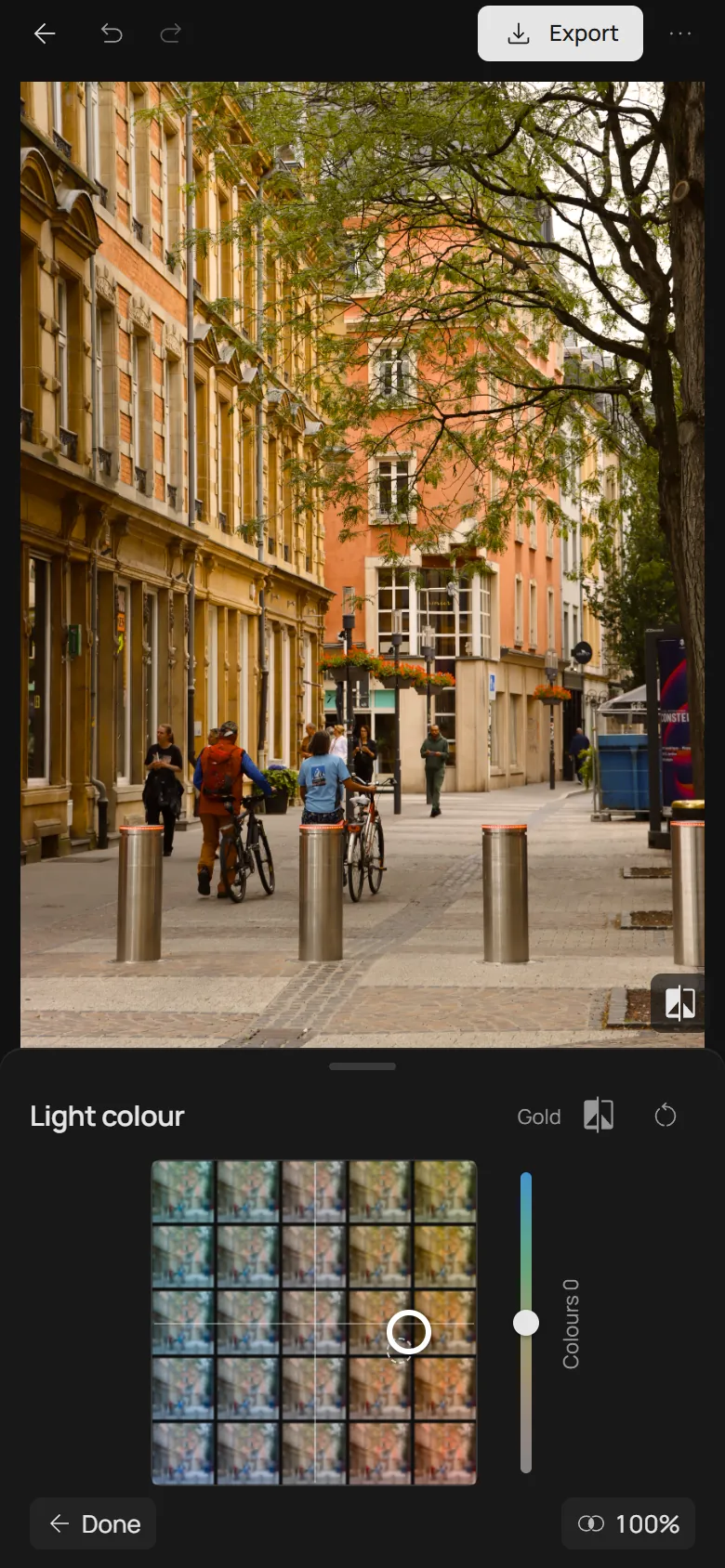
- 2. Mood
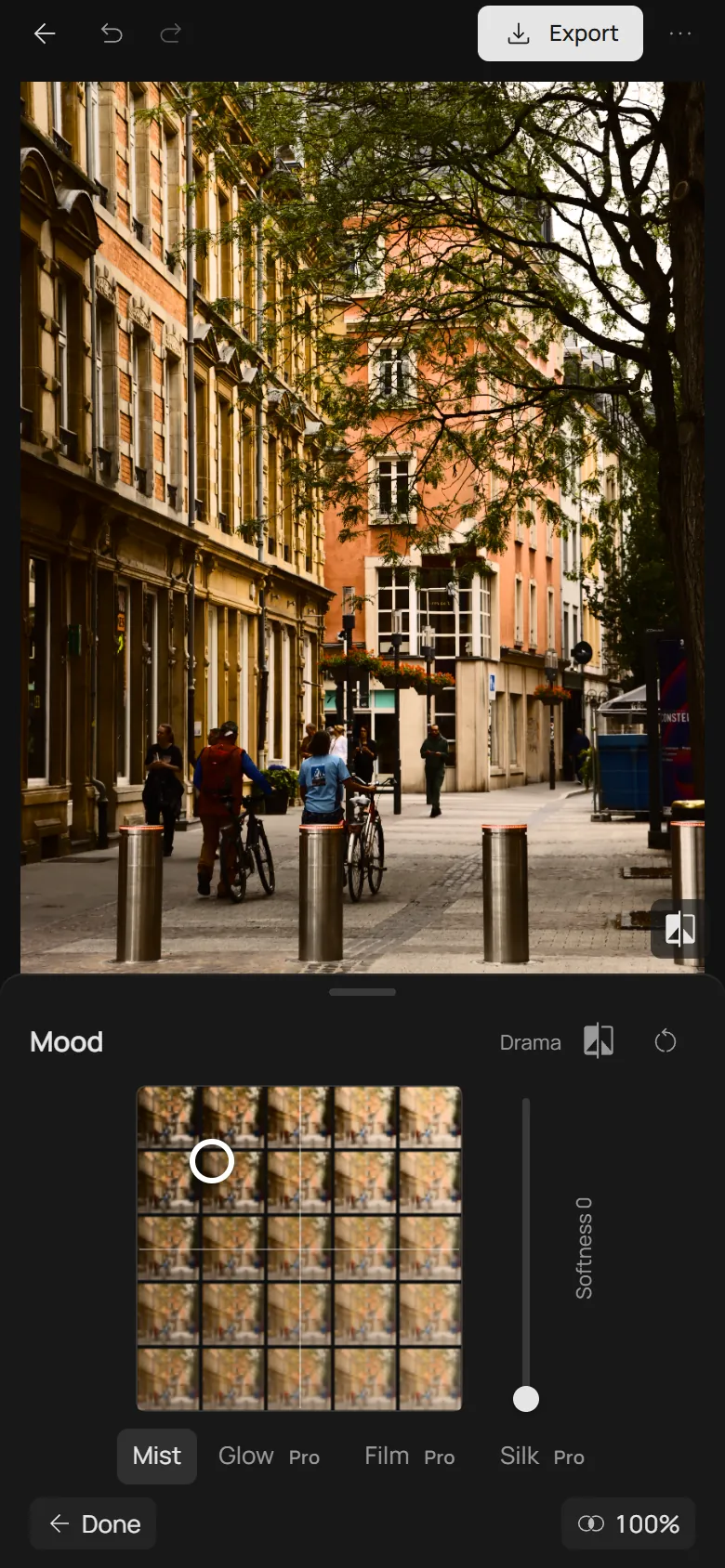
- Before: the ring
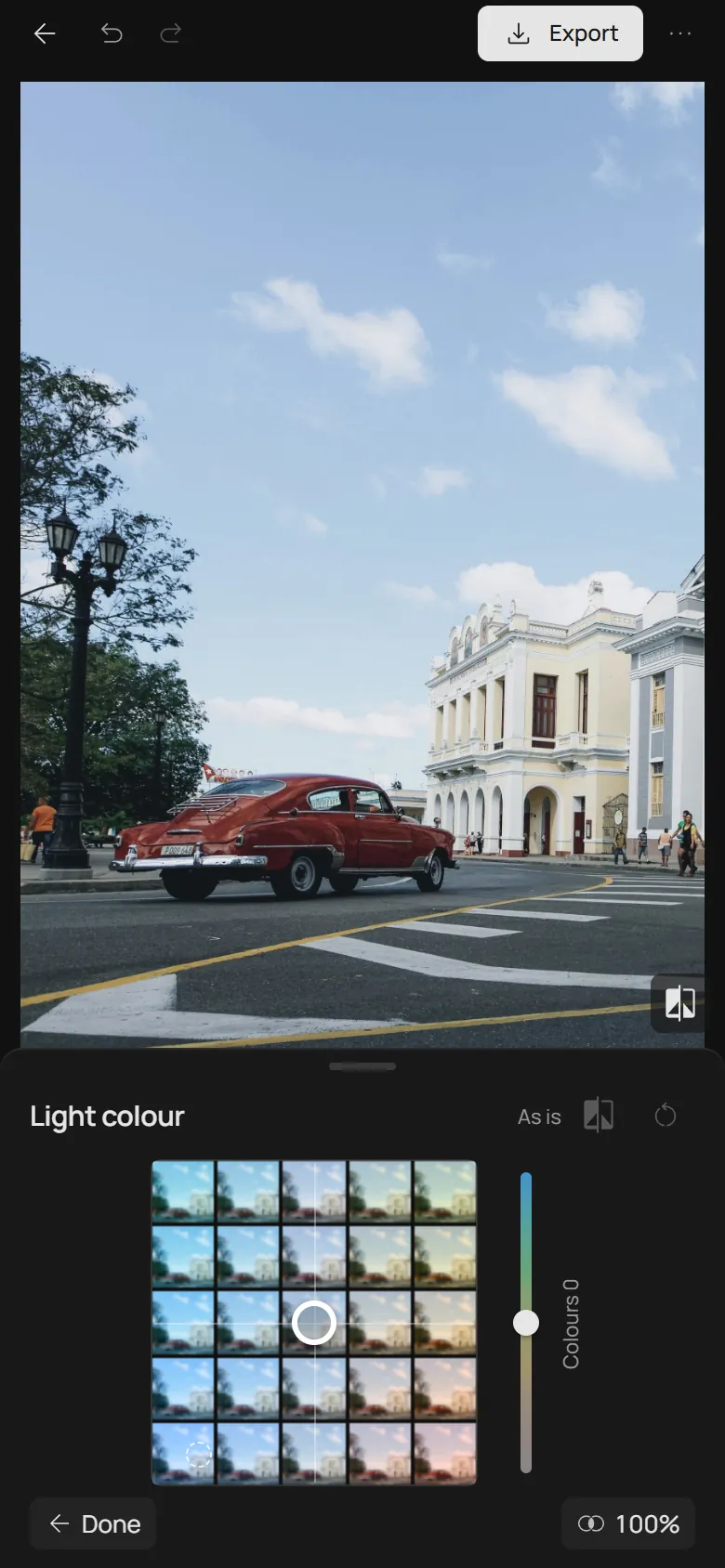
- 1. Light colour
- 2. Mood