
Adjust works on top
Exposure, white balance, Development, Toning, Curves and Selective colour act on the graded photo, just as they do without a film.
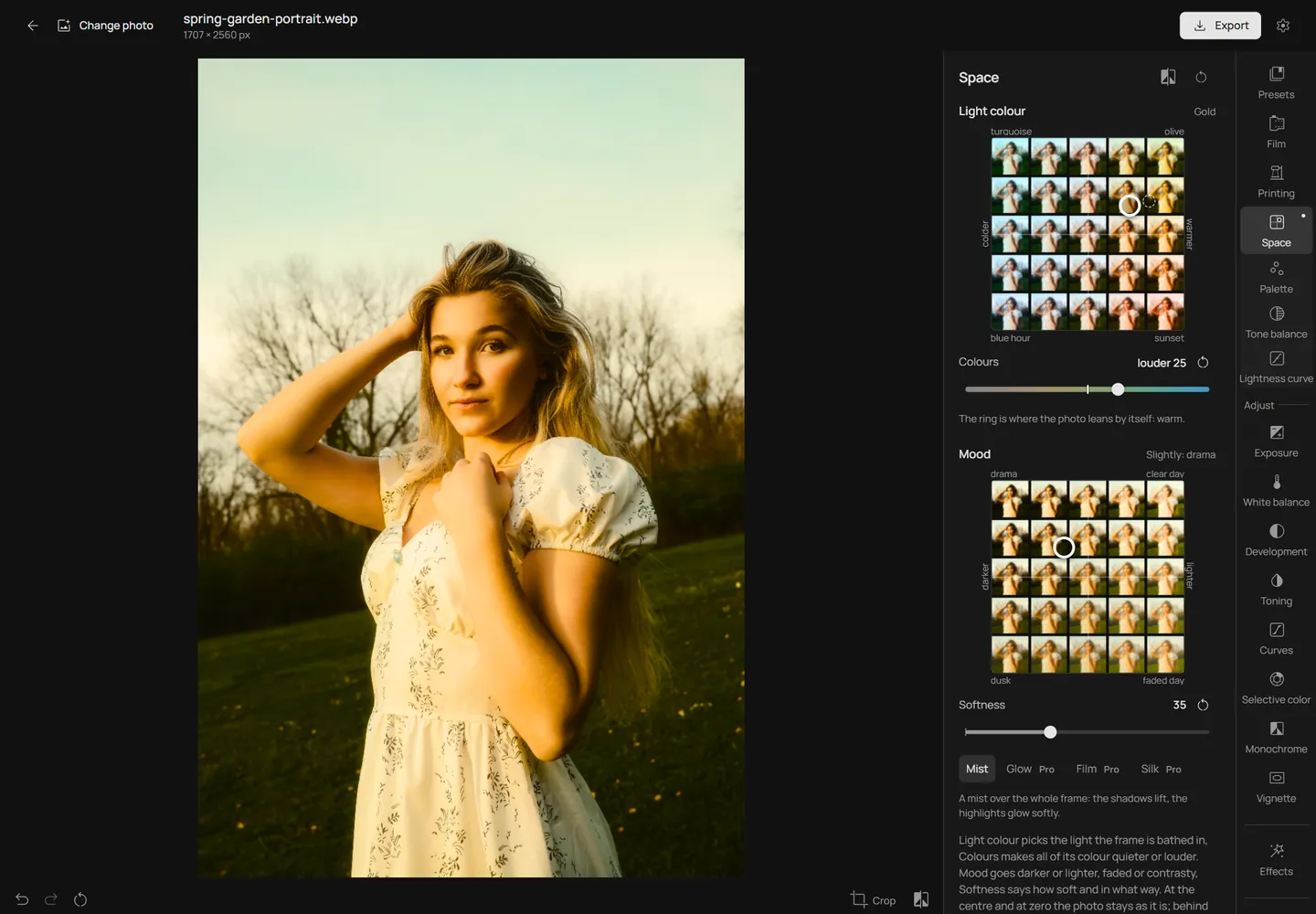
Space replaces a wall of colour sliders with two pads. One chooses the colour of the light, the other the mood, and a slider beside each sets how loud the colour is and how soft the frame. Behind each pad is your own photo, graded at every spot, so you see where to go before you move.
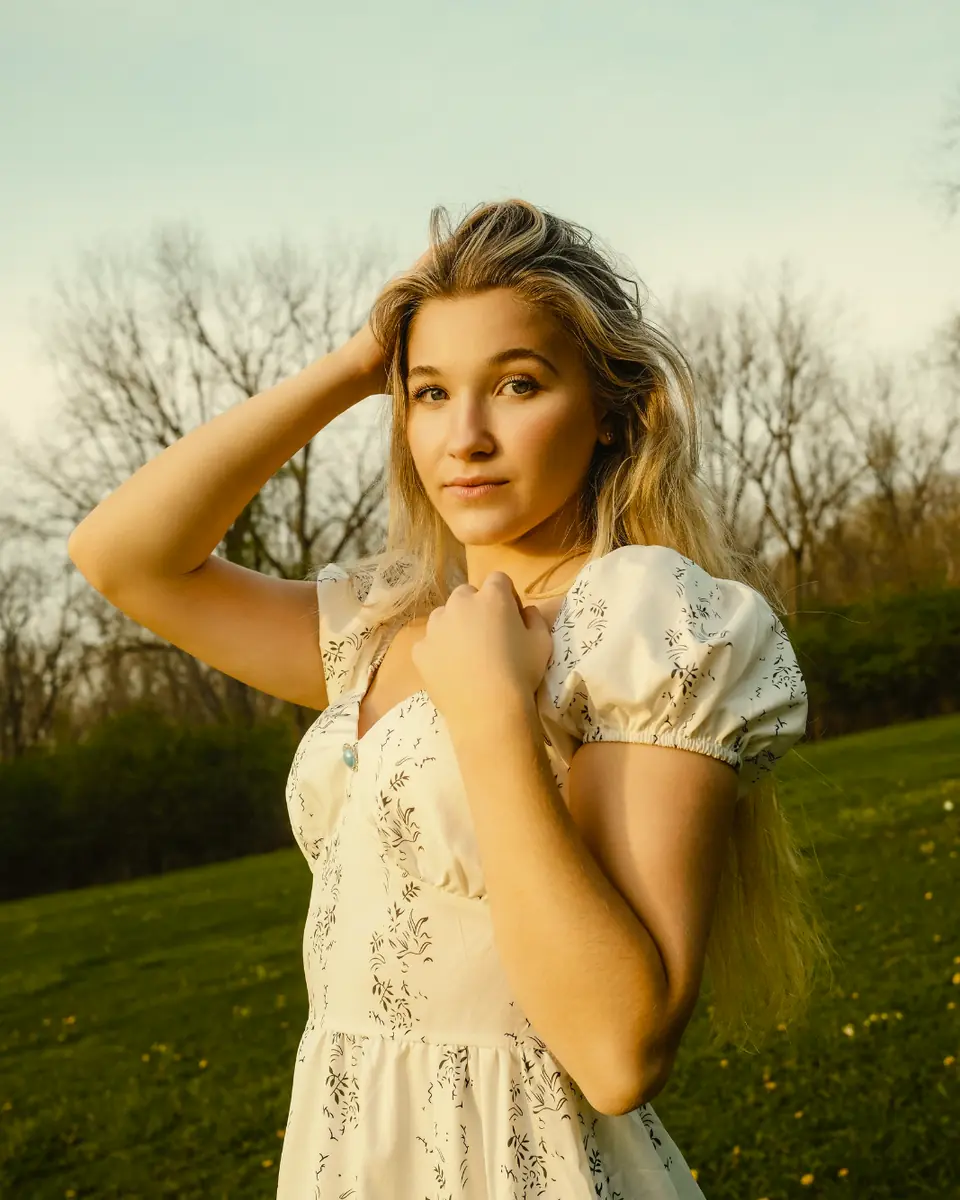
Each tile is a real render of this portrait at that spot of the Light colour pad: left is colder, right is warmer, up and down choose the shade. Tap a tile or drag across the pad; down the middle the photo stays as it is.
Open a photo in the editor. Three screens take it from the original to a look of your own.
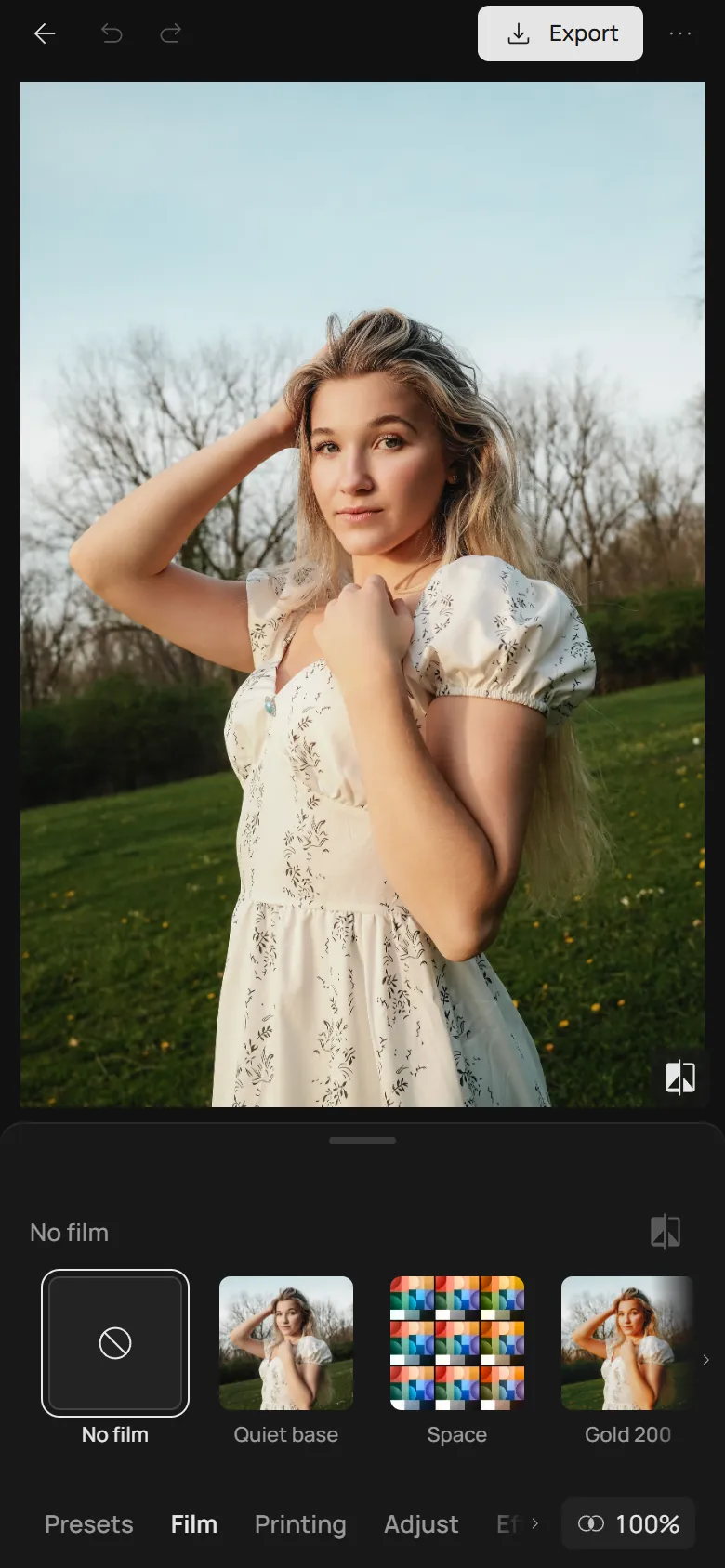
In Film, choose the Space tile. Space colours the photo instead of a film, so the film switches off; Adjust keeps working on top.
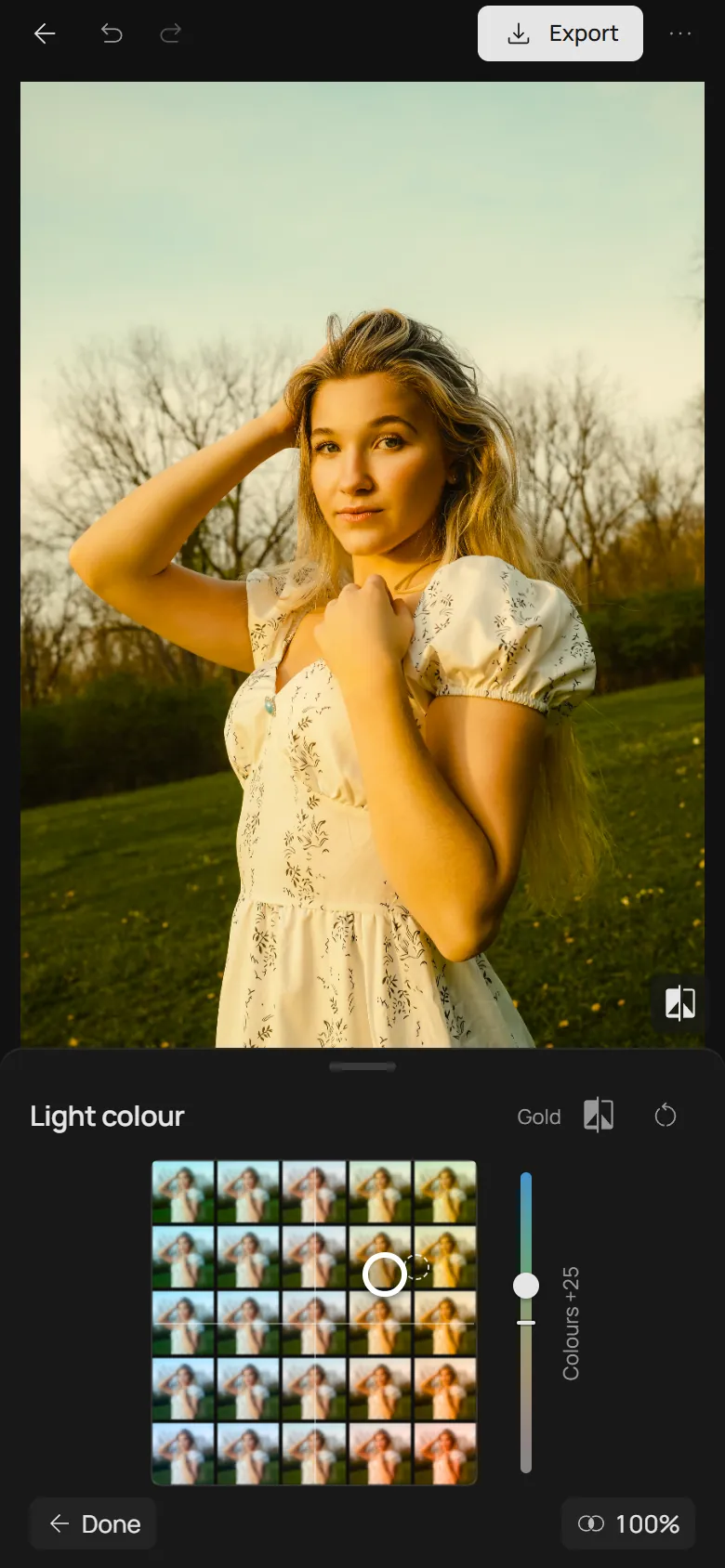
Every tile of the pad is your photo at that spot. Left is colder, right is warmer, and the further to the side, the stronger; up and down choose the shade, from turquoise and olive to blue hour and sunset. The Colours slider beside the pad makes all of the photo’s colour quieter or louder.
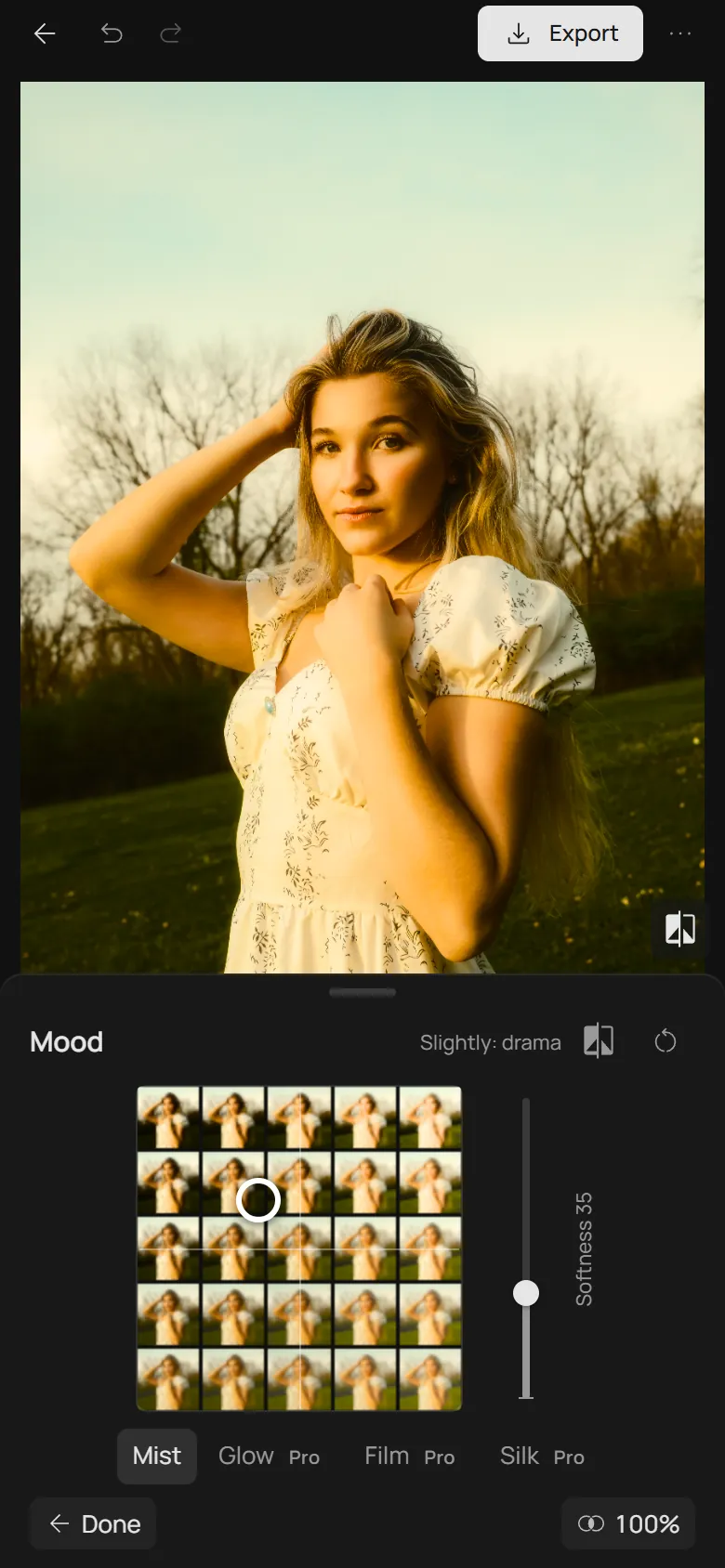
Left and right make the photo darker or lighter; up adds contrast, down fades it like an old print. Softness beside the pad adds a mist, a glow around the lights, a film camera’s halo and grain, or a fine silk.
The pads are built so every spot looks right: the light moves all the colours of the photo together, as real light does, and the mood never crushes black or burns white. The corners show how far they go.
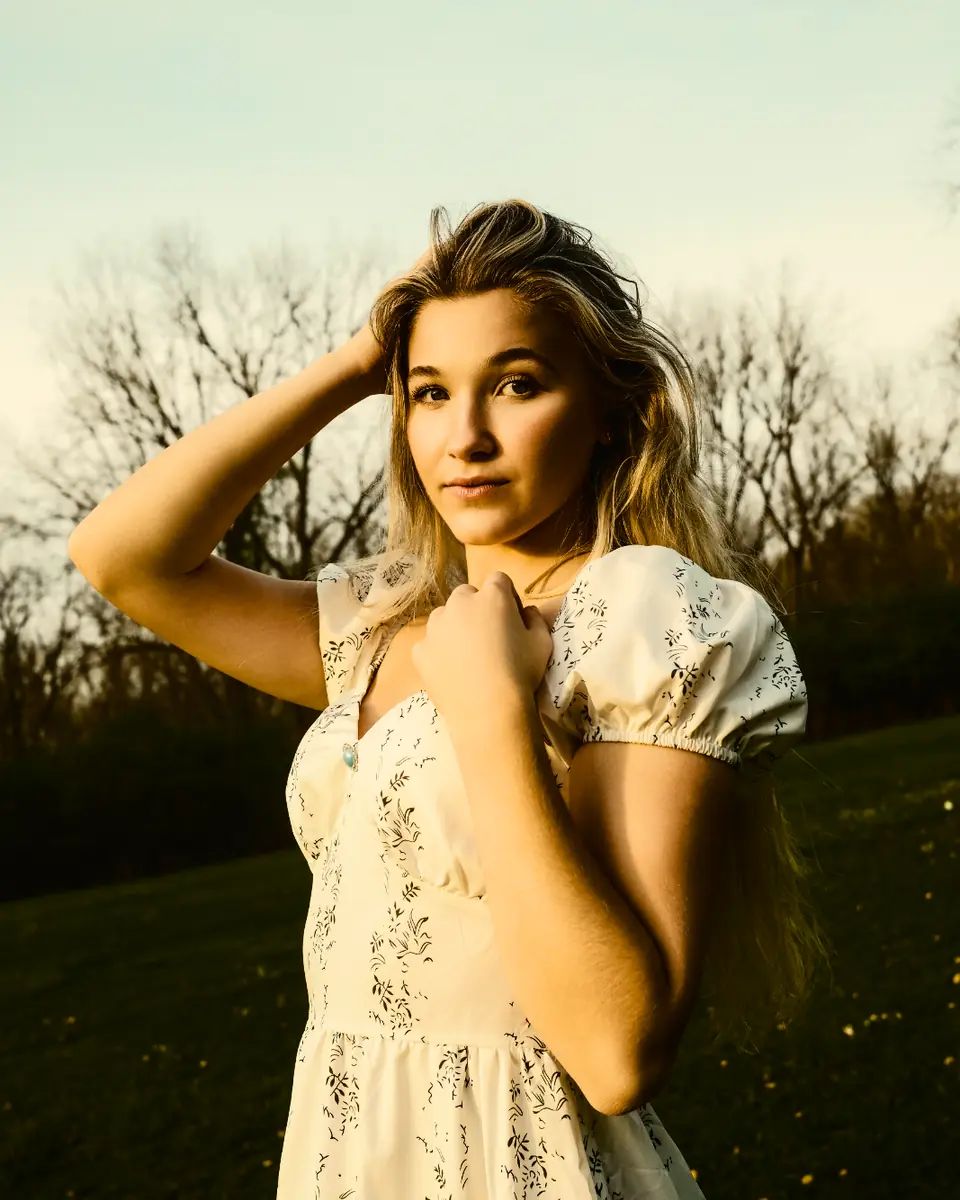
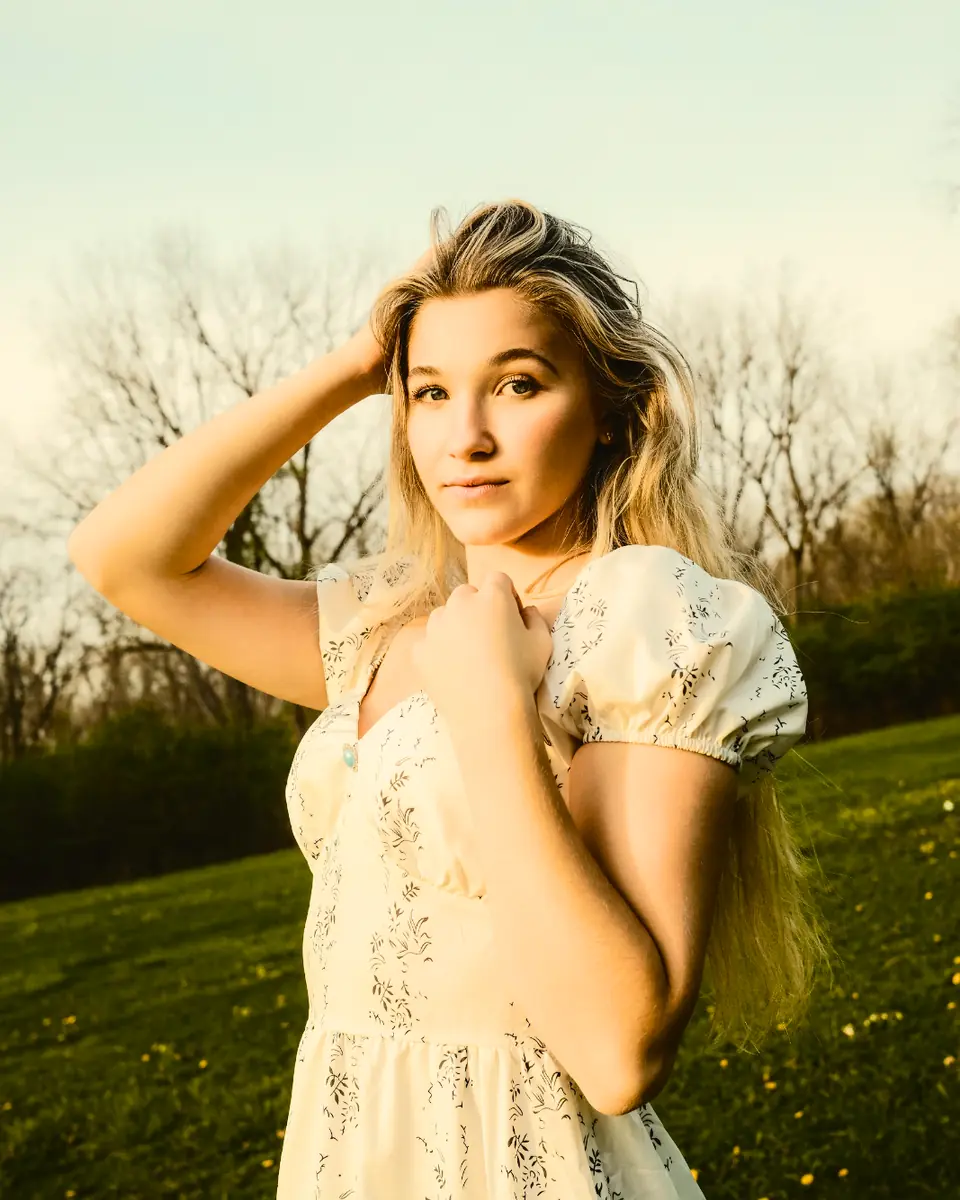
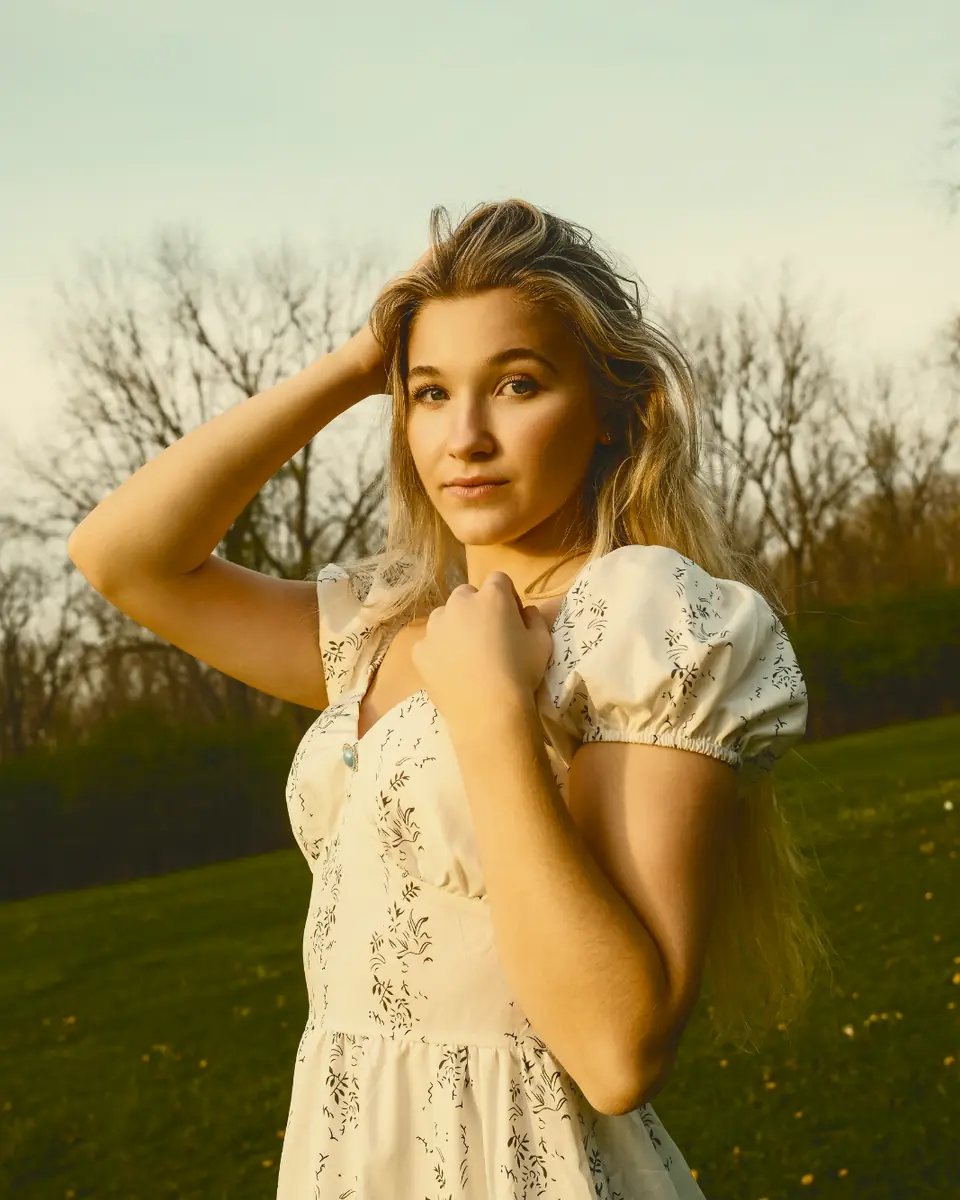
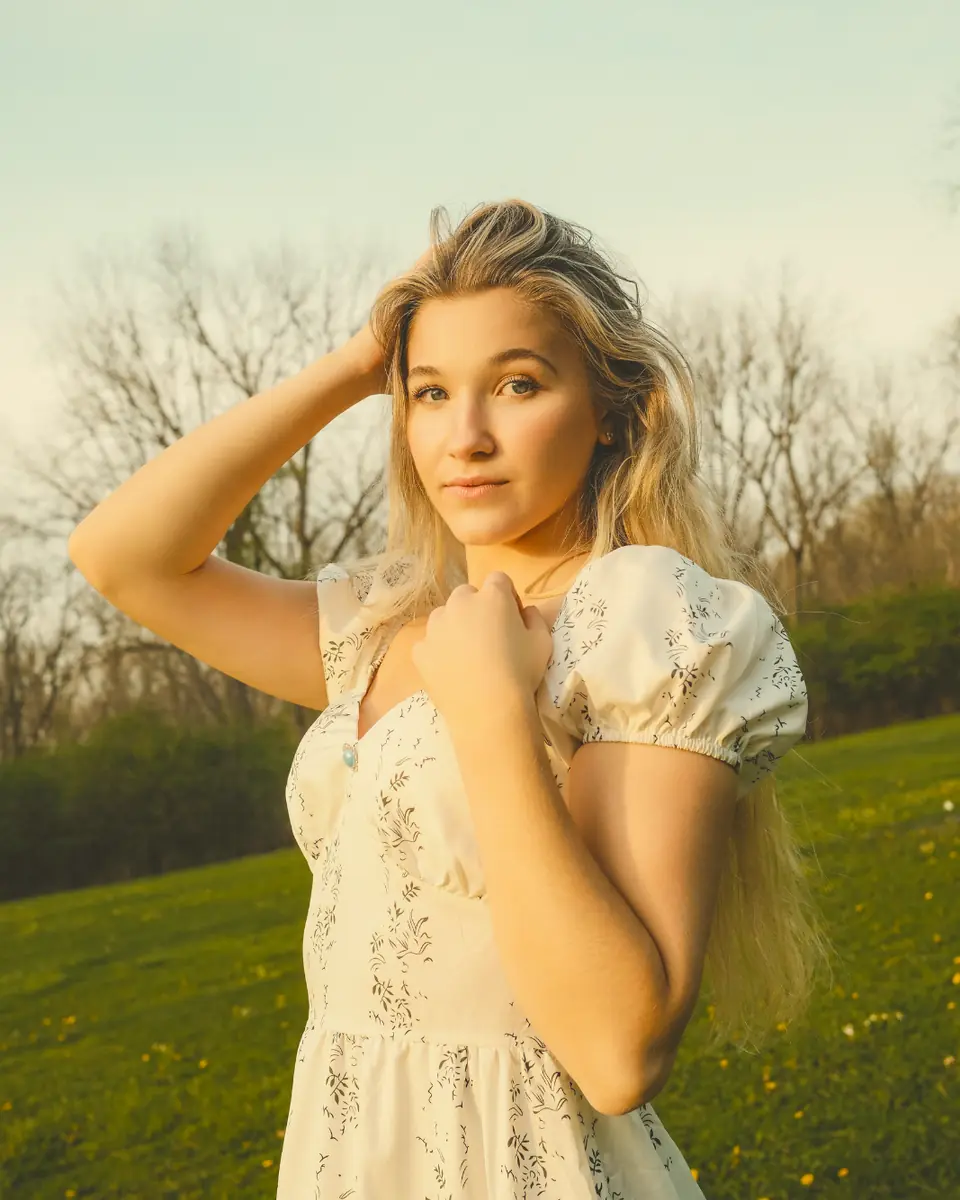
The corners of the Mood pad under the same golden light. Every spot between them is a blend.
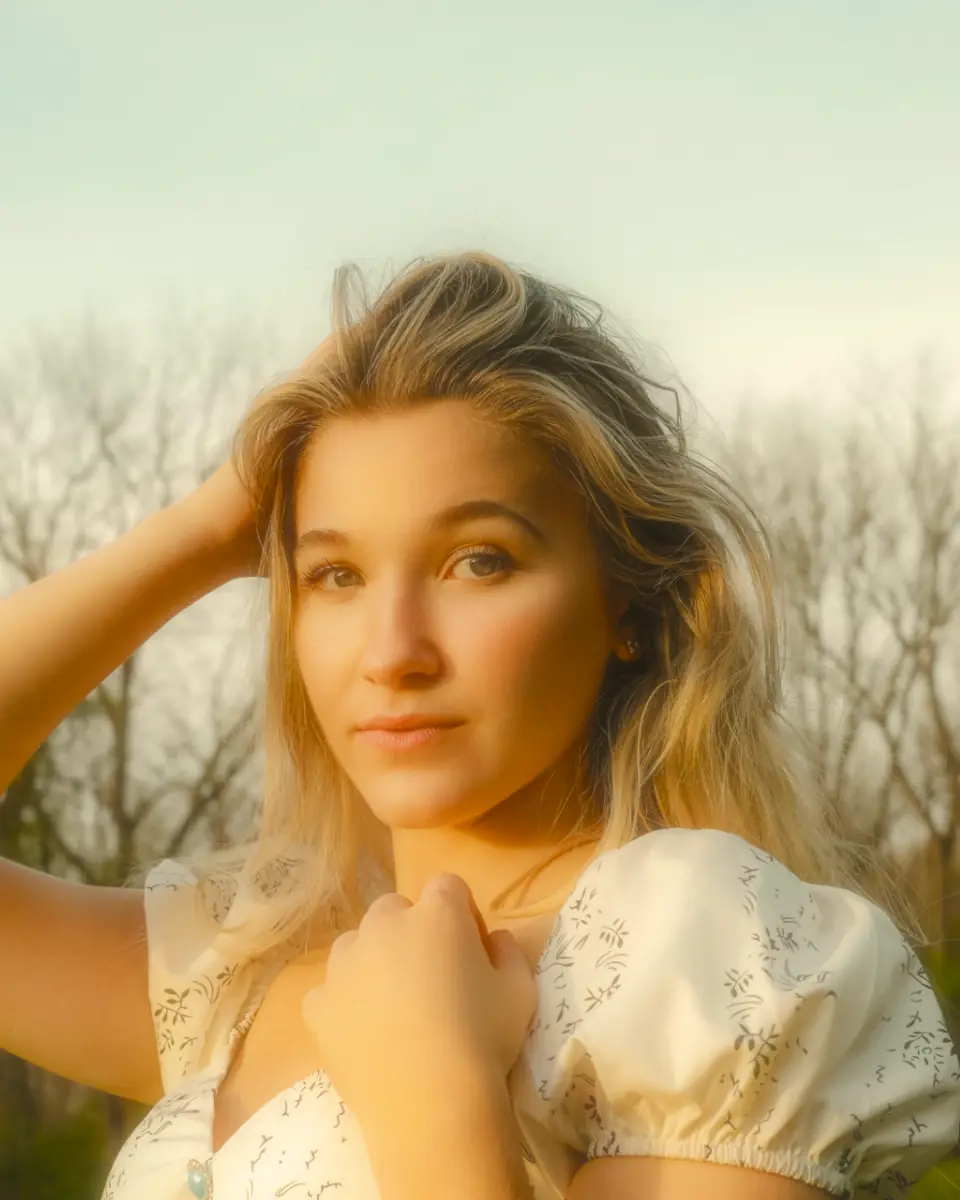
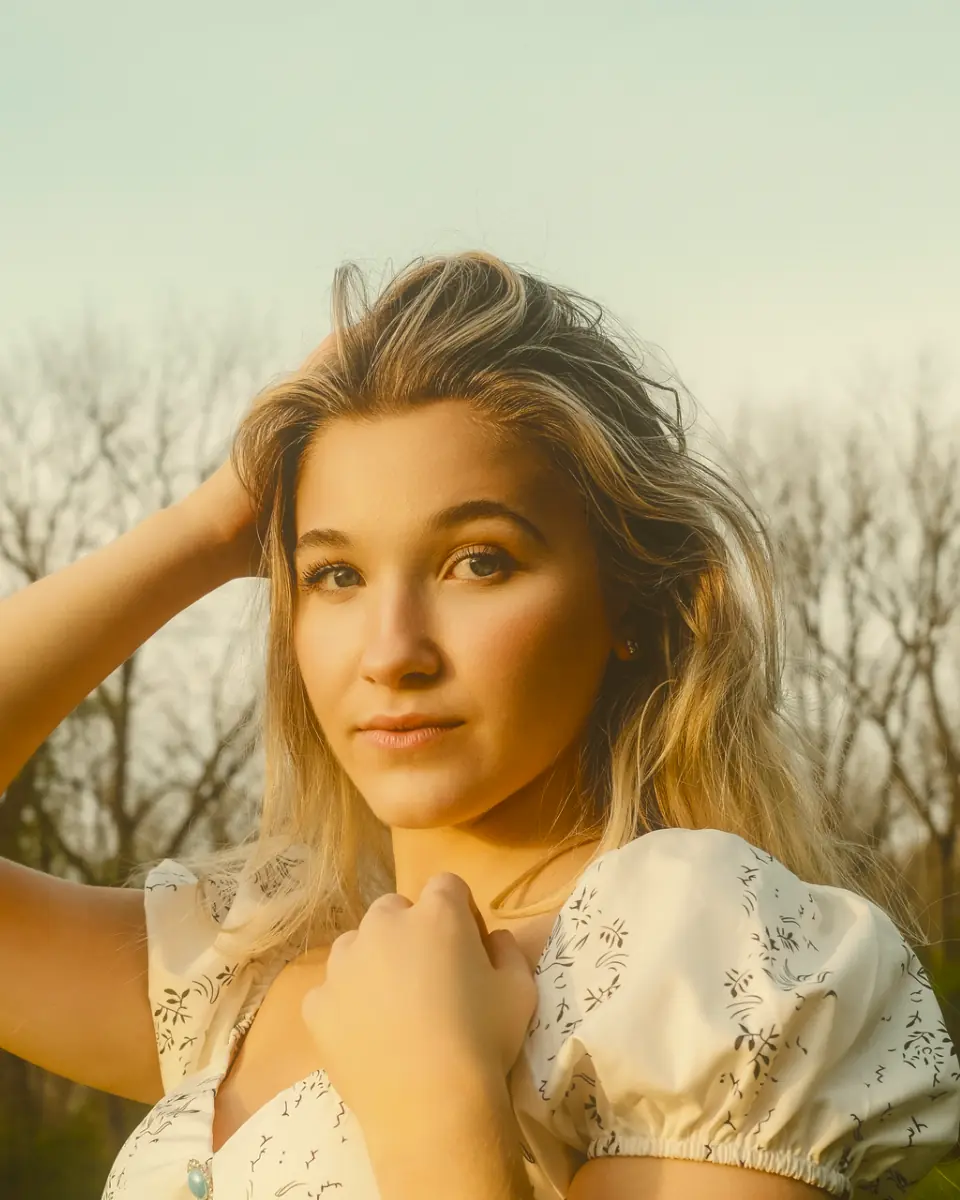
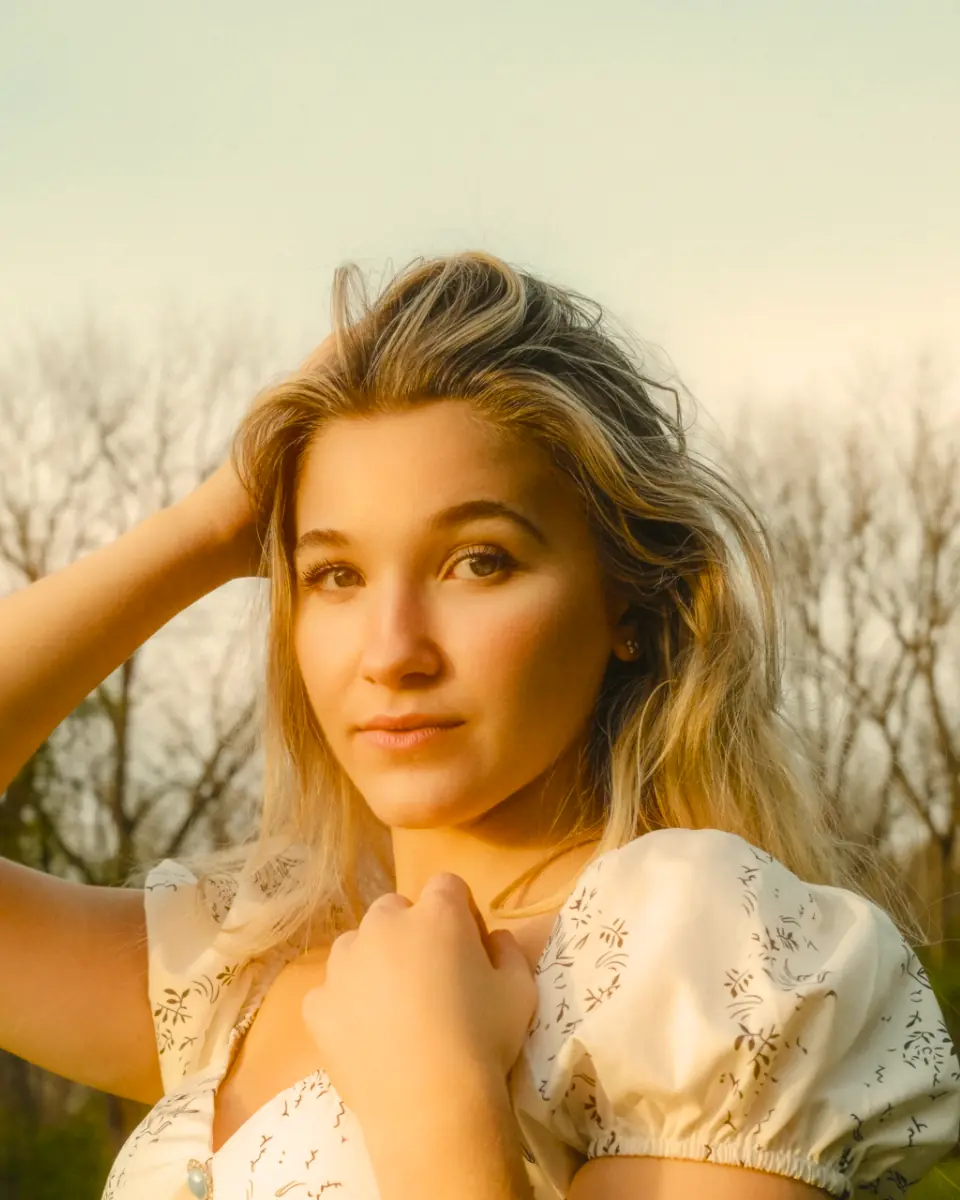
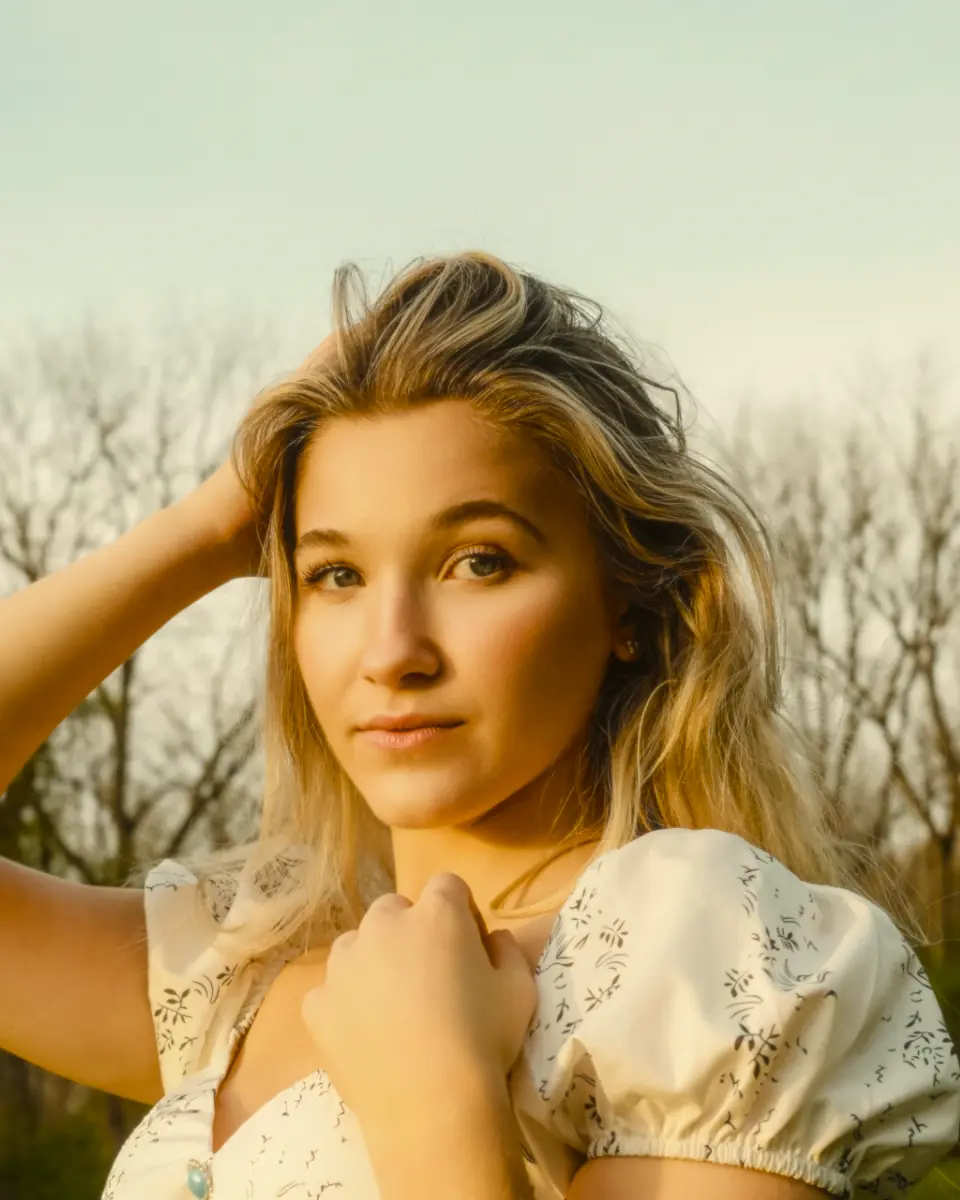
The same close-up at full softness in each kind. Glow, Film and Silk are Pro.
Behind the pads is a precise layer for when you know what you want. Each control draws data from your photo, so you move what is really there.
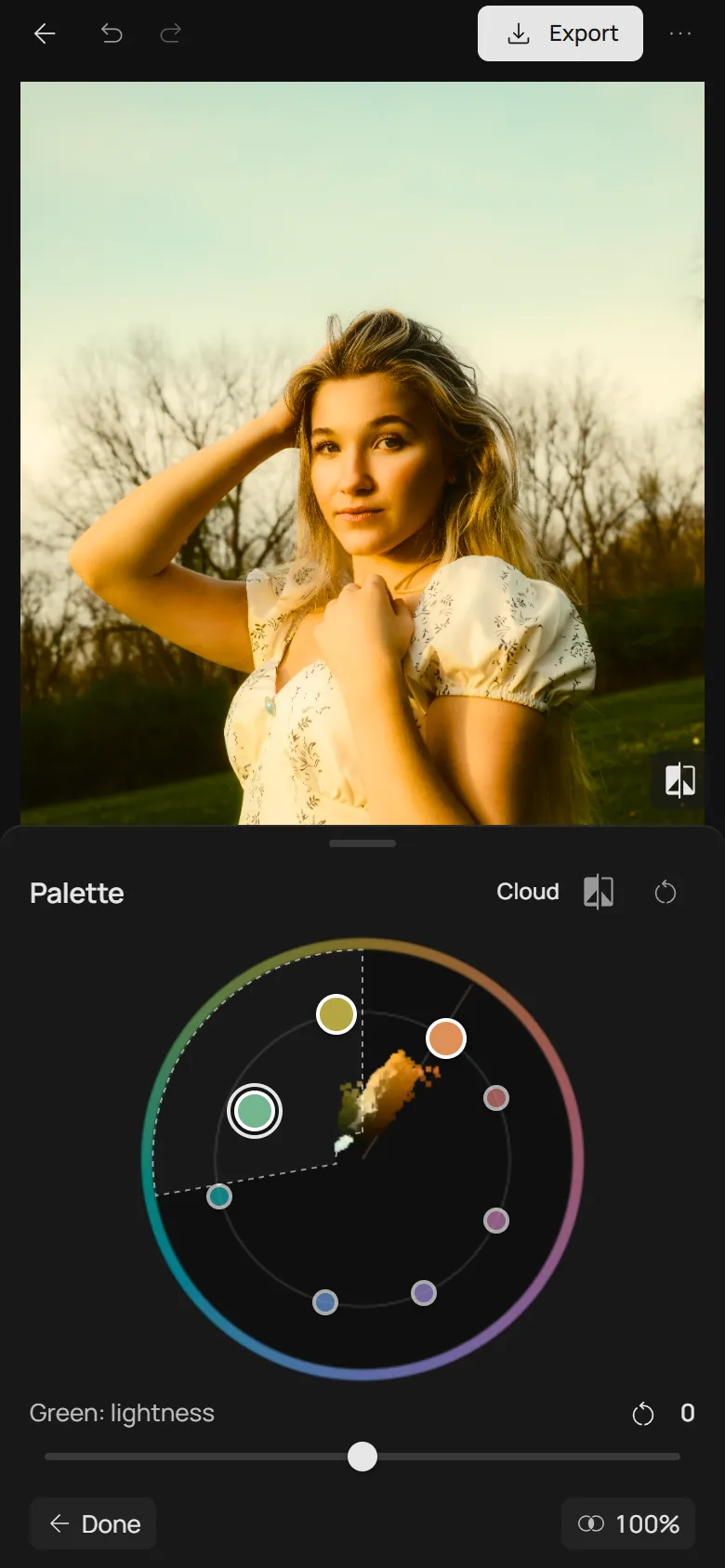
The photo’s colours as a cloud, with eight points around it. Drag a point around the circle to turn its colour, toward the centre or outward to change saturation. The thin line marks skin.
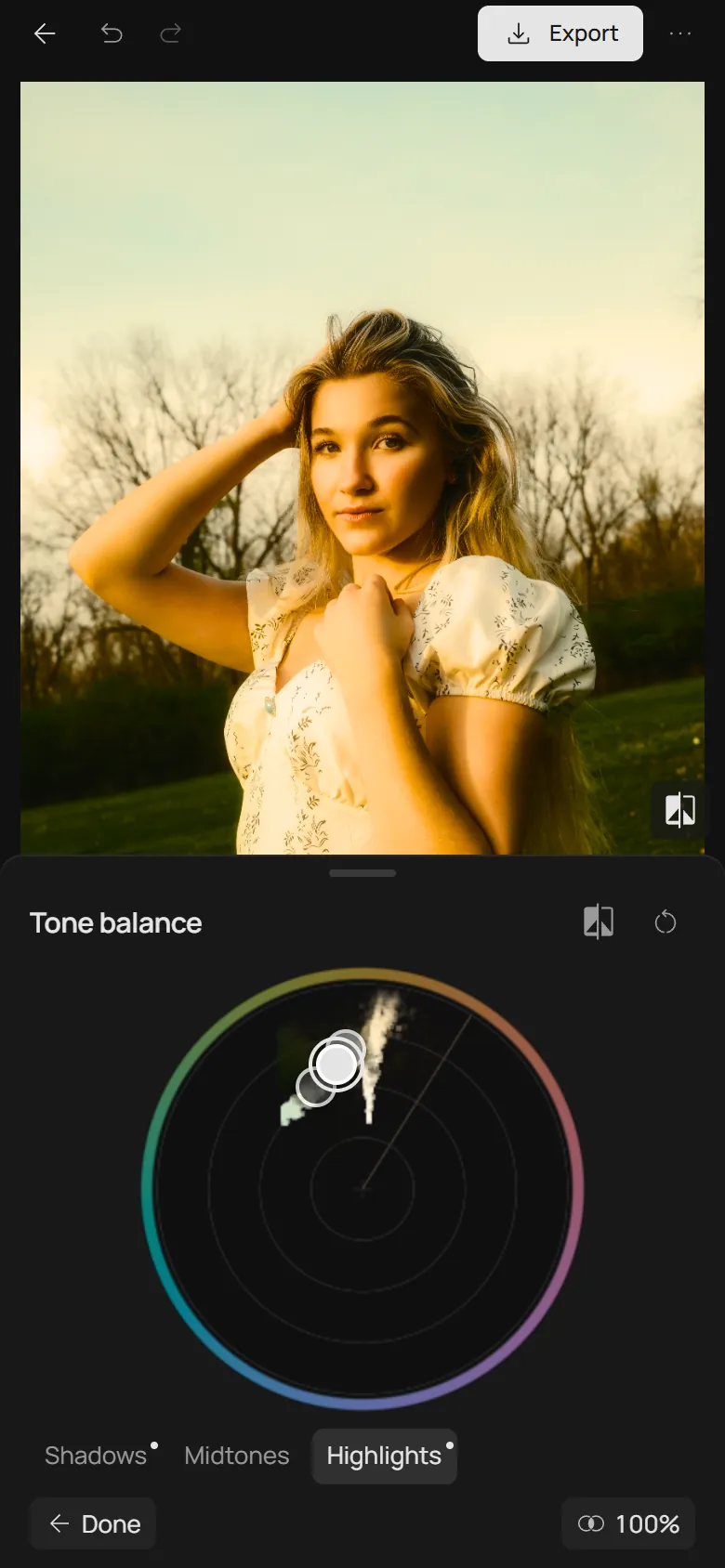
The same circle magnified at its centre, where greys show their tint. Handles sit on the average colour of the shadows, midtones and highlights; drag one to tint its tone.
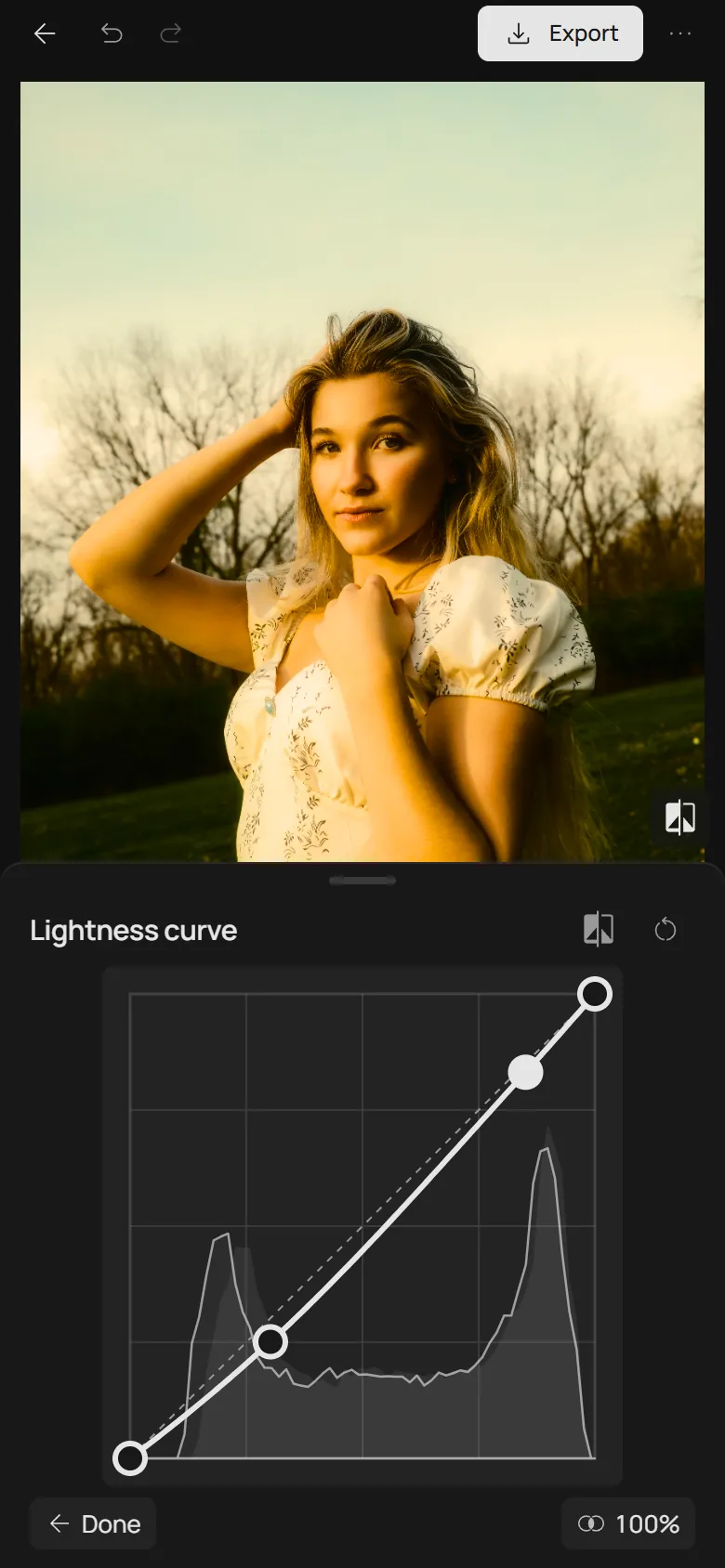
A curve over your photo’s histogram that changes lightness alone, never hue or saturation. A red edge warns when tones pile up in pure black or white.
On a computer, the Space tab holds both pads, each with its slider under it. Each mosaic already includes the other pad’s point, and the precise layer follows in its own tabs.
Exposure, white balance, Development, Toning, Curves and Selective colour act on the graded photo, just as they do without a film.
Space is saved in personal presets like any other setting, so one look goes to your other photos in a tap.
Every drag is one step in the history. Compare shows the original, and Reset brings the pads back to the centre.
Almost all of it. Both pads, the Colours slider, Mist softness and the precise layer are free in the Photonica editor; Glow, Film and Silk softness are Pro. You can edit without an account and export 3 photos a day; a free account removes the daily limit.
Not at the same time. Space colours the photo instead of a film: turning it on switches the film off, and choosing a film turns Space off. Adjust and its tools keep working with either.
Gently. The colour of light stretches the photo’s colours but barely moves orange, the hue of skin, and Colours makes skin louder less than the rest. It is a colour rule, not face detection, so a warm wall is treated the same way.
A colour wheel shows hues, not your photo: you turn it, look at the result and try again. Space draws your own photo at every spot of the pad before you move, and one point sets the colour of the light in the highlights, midtones and shadows and the photo’s palette together.
Yes. Photonica runs in the browser on phones and computers with WebGPU. On a phone, each pad is a tool of its own, with its slider right beside it.
No. Space grades your photo on your device; the photo is not sent to a server.
Photo: Airam Dato-on, Pexels. Every image on this page was made in the Photonica editor.