
Make the person stand out in black and white.
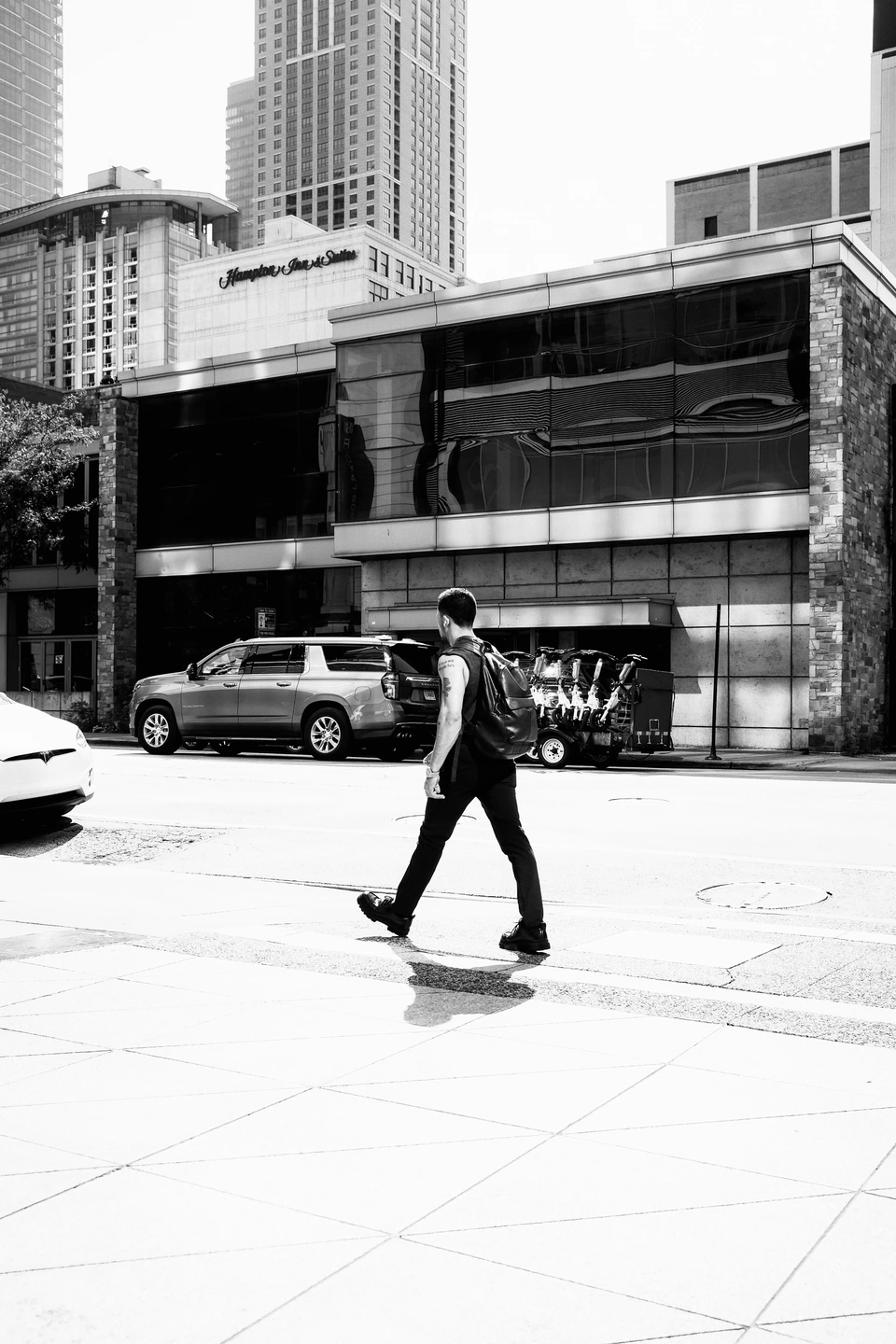
A dark figure crossing a bright pavement already has a strong shape. Use monochrome to organise those tones, then check that the face and buildings still hold detail.
Start with the silhouette
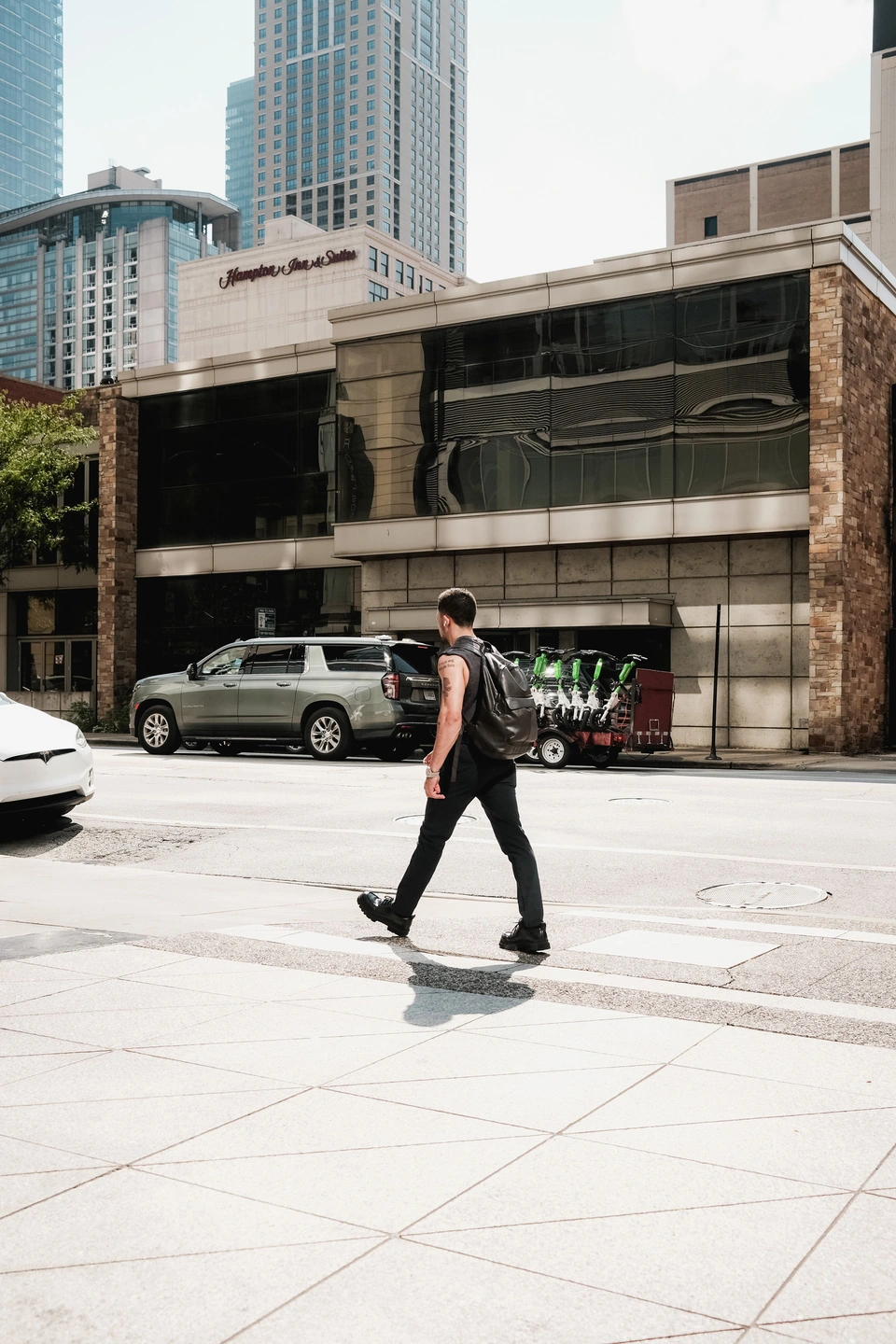
The figure crosses a bright pavement, with darker buildings behind. That separation is the reason this photograph works in monochrome. Removing colour alone does not guarantee a stronger image: first check whether the main subject is lighter or darker than its immediate surroundings.
Try the recipe, then compare with the original. Follow the outline of the arms and legs. If the figure disappears into the building, a stronger black-and-white treatment may remove useful separation rather than create it.
Change Character, then Filter
Open Monochrome. Character shapes the black-and-white rendering; Filter changes how the source colours separate into tones. Move one control while holding the other fixed, using the figure, pavement and windows as your three reference areas.
Filter is easiest to judge in a scene containing different colours. Two equally bright coloured surfaces can become similar greys. If that happens to the subject and background, compare another Filter setting before increasing the overall contrast through Character. The separate monochrome guide shows controlled examples of both controls.
Keep the small details that describe the scene
Inspect the face, dark clothing and the brightest pavement. Deep blacks can make a strong outline, but closing every shadow loses information about the person. Leave enough light in the clothes to distinguish the body from the building.
A neutral print keeps attention on those relationships. Sepia or a cold tone is a separate finishing decision: compare it only after the tonal separation works. Adding a tone cannot restore detail lost earlier in the edit.
Judge the result at its final size
View the whole photograph before zooming into grain. The scene should remain readable at a phone-sized view; a pleasing texture at 100% does not compensate for a disappearing subject. Export and check the JPEG at the size where it will be seen.
For a low-contrast, foggy street, this recipe may make the atmosphere too hard. Reduce Character, preserve the light greys, and let the scene remain quiet. Keep colour when colour itself tells the story—for example, when a red coat is the clearest separation from the crowd.