
Standard · 1600 px
Free with your account
Every JPEG is prepared up to 1600 pixels on its long side, before cropping and frames. Smaller photographs are not enlarged.
Open a set of photographs, choose one look for the series, then correct individual frames. Photonica processes every photograph on your device and saves the set as one ZIP.
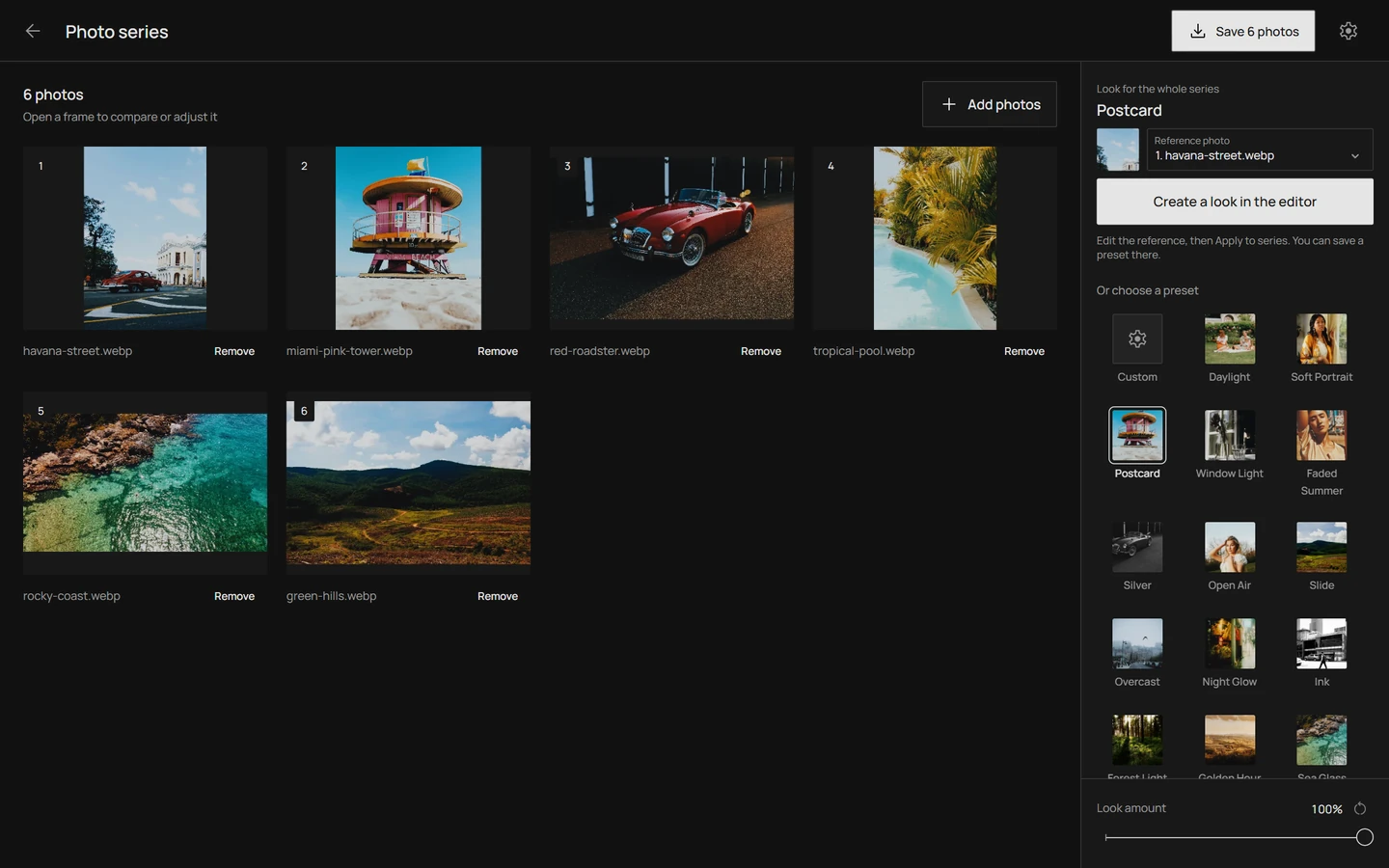
A series carries one recipe. Choose a preset or build your own look on a reference frame; Photonica applies that recipe to every photograph in the set and keeps each frame’s own grain pattern.
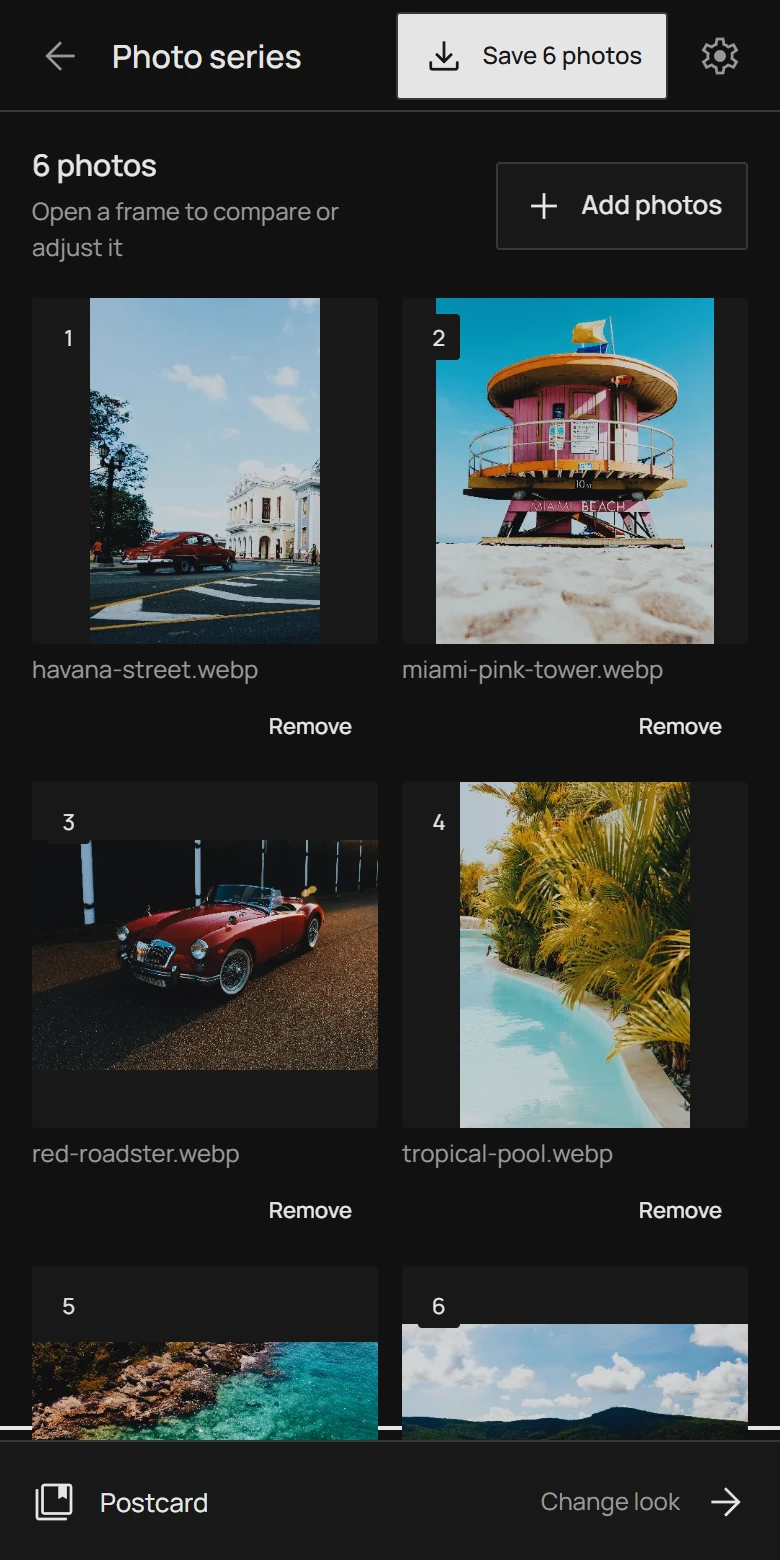
Eighteen free presets are ready to use, and look amount sets how strongly the look applies to the whole series. To go further, open the reference frame in the editor and use every tool there, including Pro effects and frames when your account has them.
The reference is the frame the editor opens. Pick the photograph that best represents the light of the shoot, apply the look to the series, then check the rest of the grid.
Browse the preset galleryOpen any frame to compare it with the original and to correct its brightness. Brightness and crop belong to that photograph alone, so a dark frame can be lifted while the series keeps its look.
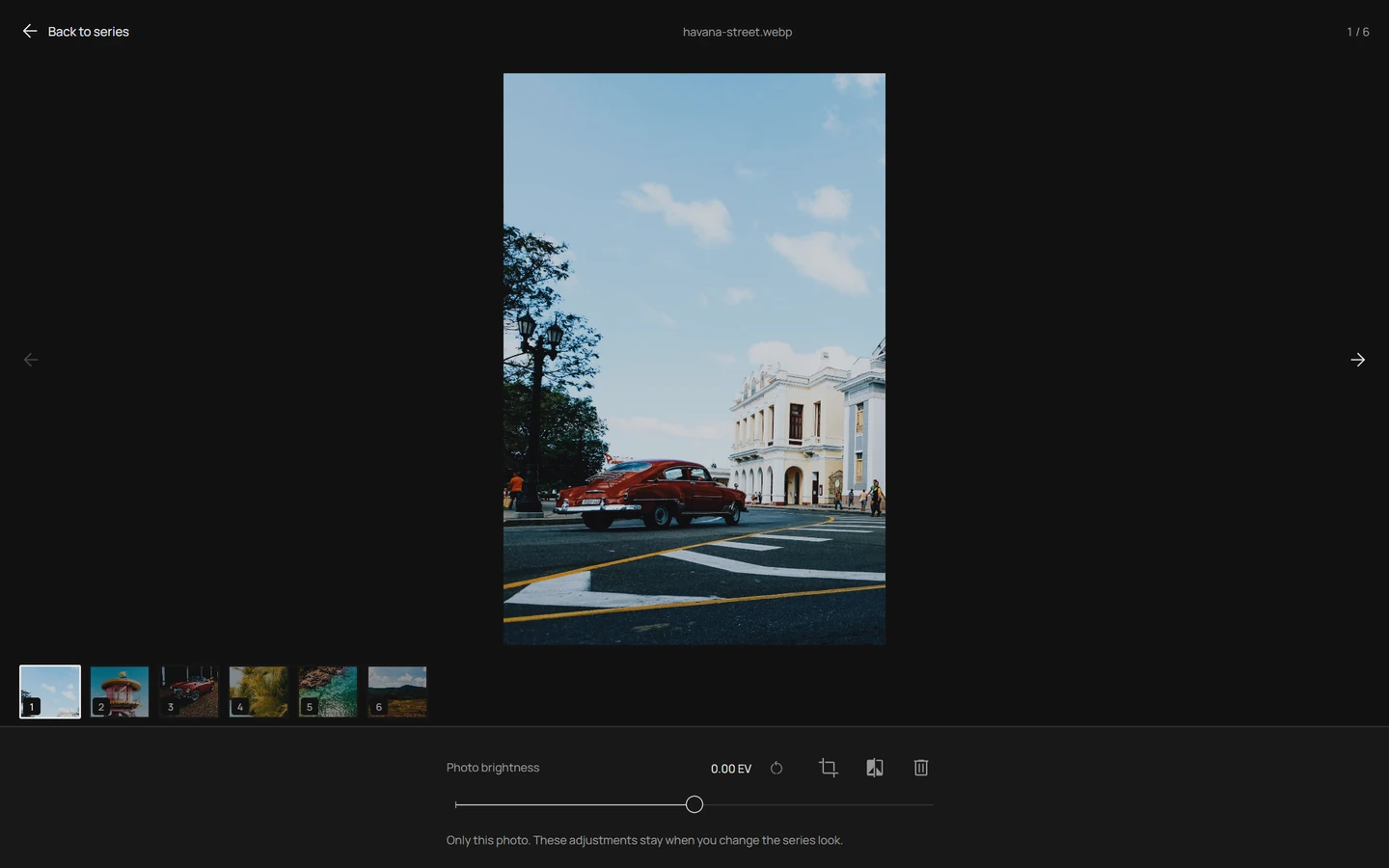
Changing the shared look later keeps every per-frame correction. Crop is never copied from one photograph to another.
Photonica prepares each JPEG in turn and shows the progress. You can stop the export, keep what is already prepared, and retry only the photographs that failed.
Free with your account
Every JPEG is prepared up to 1600 pixels on its long side, before cropping and frames. Smaller photographs are not enlarged.
Pro
Every photograph is prepared at its original size for printing and keeping every detail, with the same JPEG quality as a single-photo export.
The archive is built in your browser and downloaded as photonica-series.zip. Your photographs are never uploaded.
Start with the photographs from one shoot. Importing and exporting a series needs a free account; if you are not signed in when you choose your files, Photonica keeps them while you sign in.
In the hub choose Photo series, or drop two or more photographs at once and they open as a series.
Pick a preset or create your own look in the editor, choose the reference frame and apply the look to the series.
Open the frames that need attention and correct their brightness or crop. The shared look stays as it is.
Save the series, choose the resolution, and keep the archive. The download starts by itself when the export is ready.
Yes. Importing and exporting a series needs a free account; a subscription is not required for it. Editing a single photograph still works without an account, with three exports a day.
The standard export is free with your account: every JPEG is prepared up to 1600 pixels on its long side, without enlarging smaller photographs. Full resolution uses the existing Pro export.
Up to 100 photographs, with a total size below 512 MB. Each file keeps the single-photo limit: JPEG, PNG, WebP or HEIC up to 100 MB and 60 megapixels. RAW files and video are not supported.
No. The series carries one recipe for all frames, and each frame keeps its own brightness, crop and grain pattern. For a different treatment, open that photograph in the single-photo editor.
No. Every frame is processed in your browser with WebGPU and the archive is assembled on your device. Nothing is sent to a server, and the original files stay unchanged.
The tab keeps your photographs and corrections, including the JPEGs that already finished. Retry remaining photos prepares only what is missing; you can also download the partial archive. Closing the tab ends the series.
Screenshots: the Photonica series screen with photographs by Mehmet Turgut Kirkgoz, Chris S, Nordic Overdrive, Ksu&Eli Studio, alexander miller and Magda Ehlers on Pexels. Processed in Photonica.