
Super 8 filter for video and photos
Turn a phone clip or a photo into a vintage home movie on Super 8, right in your browser: film colour, the whole strip with its perforations, a picture that weaves and flickers, grain on every frame, dust, scratches and a hair in the gate. You save an MP4 or a JPEG, and nothing is uploaded.
Kodachrome at its starting settings, with the whole strip in view. The picture is cut to 4:3, as a real Super 8 frame is.
Clip: Alexis B / Pexels.
One clip, seven reels
A reel is the whole choice: its film, how it has aged and the camera it ran through. Choose one and the clip keeps playing from the same moment.
The family reel: warm and dense, with deep blacks, from an 18-frame camera.
A camera and a scan, not an overlay
Most Super 8 filters lay a ready-made clip of dust and a film border over your video. Here your picture goes through what a home-movie camera and a film scanner do, in that order: the camera’s flicker reaches the film as exposure, the film is the editor’s own film model, and the scan sees the strip in millimetres. So the flicker lives in your mid-tones, the grain sits in the film’s dyes and the dust is new on every frame.
- The strip
- Super 8 film is 8 mm wide, with one perforation beside each frame. Whole film shows the perforations, the gate’s rounded corners and the edges of the frames above and below, drawn to the film’s real dimensions.
- Gate weave
- The claw pulls the film down one frame at a time, so the picture shifts a little in the gate, more along the film than across it.
- Flicker
- The shutter and the meter vary from frame to frame. The change reaches the film as exposure, so the mid-tones pulse while the highlights hold.
- Smear
- A film camera’s shutter stays open far longer than a phone’s in daylight, so movement blurs. Without it, a clip held to 18 frames a second would stutter.
- Handheld
- The camera was held in the hand, and your phone’s stabiliser took that sway away. Handheld brings it back.
- Softness
- A cheap zoom lens: softer towards the corners, with the colours slightly apart at the edges.
- 16, 18 or 24 frames a second
- The speed the camera ran at. Your clip’s movement is held to those frames, so it moves in the small steps of film.
The whole film, the gate or a clean frame
Choose how much of the film the scan shows. On Whole film the picture is cut to 4:3, as on real Super 8; the other two keep your clip’s shape.
Perforations, the edges of the frames above and below, and the gate moving against them. The picture is cut to 4:3.
What time did to the film
A reel carries its history: dust, scratches from a projector’s gate, a hair caught in the camera, light that got in. Each mark is drawn on the film in millimetres and moves with it.
- Grain
- A Super 8 frame is about six times narrower than a 35 mm one, so its grain is large. It sits in the film’s dyes and is new on every frame.
- Dust & scratches
- Dust lands on one frame and is gone on the next, so it never sits still. Scratches run along the film and stay for a second or two.
- Hair in the gate
- A hair caught in the camera’s gate stays for a while, trembling at the edge of the gate and moving with it.
- Film burn
- A roll was loaded in daylight, so a clip starts burnt and clears within a second, and burns again at its end. Now and then light leaks in mid-roll. A burn is red at its edge, then orange, and white at its heart.
- Fading
- Old colour film loses its cyan dye first. On Faded everything has turned pink and the blacks have risen.
Vertical clips for Reels and TikTok
A vertical clip is filmed as if the camera were held on its side: the strip turns with it, so the whole frame stays upright, perforations and all.
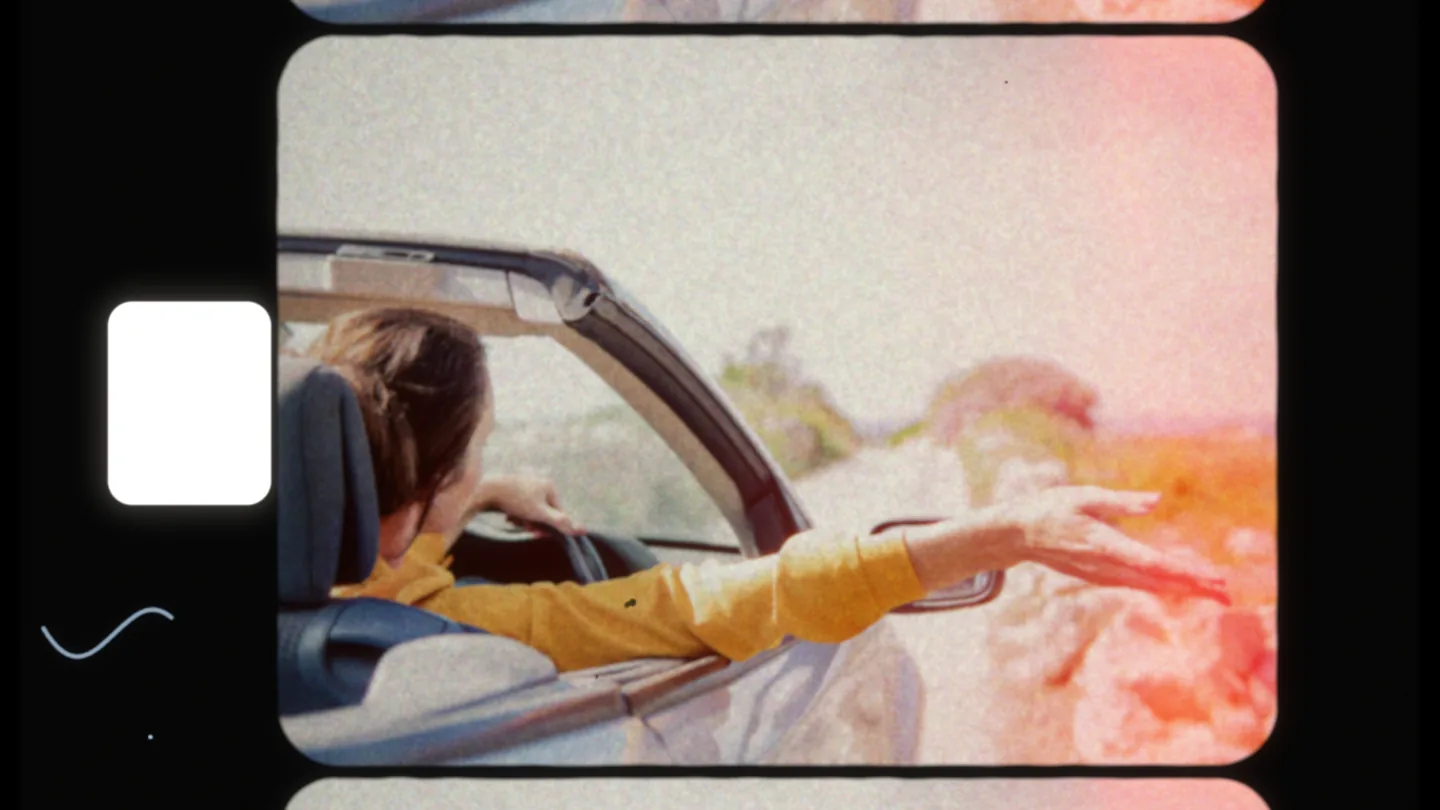
On photos too
A photo becomes one frame on the strip, with grain, dust and the frames above and below. On Whole film it comes out as a picture of the film, 16:9 or 9:16; Camera gate and Clean frame keep the photo’s shape.

The sound of a projector
On a clip, Projector sound plays what a home projector made: the claw ticking on every frame, the motor and the fan, with your clip’s own sound small and narrow, as from its built-in speaker. Silent film plays only the projector: a voice would not survive the speed. Turn Projector sound off to keep the clip’s own sound. The clips on this page are silent, so open one of yours to hear it.
How to add a Super 8 effect
Three steps in the browser. A reel puts its own film in Film; choose another film afterwards and the reel’s camera and scan stay.
Open your clip or photo
Open the editor and choose a file. A clip can run up to 60 seconds.
Choose a reel
Under Effects, open Home movies and pick a reel on the Super 8 tab; a reel turns VHS off. Then choose the Frame and the Speed, and move the sliders under Camera and Wear if you want more or less of them.
Export
A clip saves as an MP4 with its sound, a photo as a JPEG. Keep the tab open while your device develops the frames.
Super 8 questions
Is the Super 8 filter free?
No. Super 8 is part of Pro, with the other Pro effects and the whole of a clip up to a minute. The free editor has eight films, grain and halation. Compare Free & Pro
Is it an 8mm filter?
Yes. Super 8 is the 8mm home-movie film Kodak brought out in 1965, with a larger frame than the older Regular 8. The effect follows Super 8’s dimensions.
Is my video uploaded?
No. Your browser decodes the clip, your device records every frame and the file is written on the spot. It never leaves your device.
Does it add a watermark?
No. The file you save has no watermark or logo.
Can I keep my clip 16:9?
Yes. Choose Camera gate or Clean frame and the clip keeps its own shape. On Whole film the picture is cut to 4:3, as on real Super 8.
Why does my clip start with a flash?
That is the start of the roll, burnt by daylight while it was loaded. Lower Film burn to soften it, or set it to 0 to remove it.
Can I choose another film?
Yes. A reel puts its film in Film; choose another one afterwards and the reel’s camera and scan stay.
How long can a clip be?
Up to 60 seconds and 500 MB. Pro saves the whole clip.
Does it work on a phone?
It should, in a recent browser with WebGPU, but video is in beta and we have not yet tested it on real phones. A computer is the surest way to finish an export.
Is it real film?
No, it is a simulation: nothing is shot on film. The colour comes from the editor’s film models, and the camera, the strip and the scan follow Super 8’s real dimensions, but it copies no particular camera or reel. Photonica is not affiliated with Kodak.
Try it on your clip
Included with Pro. Your clip stays on your device.
The Super 8 clips and photos on this page went through Photonica’s Super 8; the As shot clips and the photo as it was taken are their sources. All were saved smaller so the page loads quickly. Results vary with your picture. Clips: Alexis B, Mikhail Nilov, Kampus Production and Gary Barnes on Pexels.