
Every Instagram format
Auto, 3:4, 4:5, 1:1, 4:3, 16:9 and 1.91:1. Each option is drawn in its real shape, and Auto picks the format closest to your collage.
Choose Split into slides and Photonica does the rest: it picks an Instagram format, cuts the collage into equal slides and fits the layout to them. Check the post as your followers will see it, then save the slides in posting order.
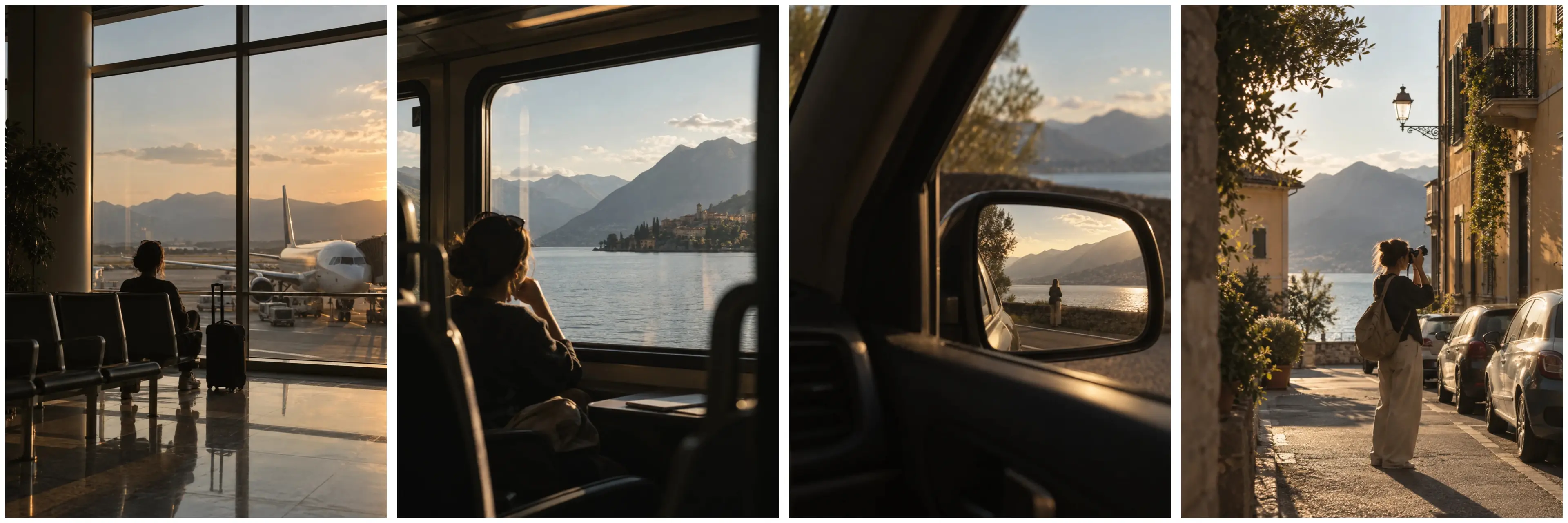

Real slides saved by Photonica. Swipe them, or use the arrows.
Make a collage of 2–9 photos in the editor. From there it takes three screens.
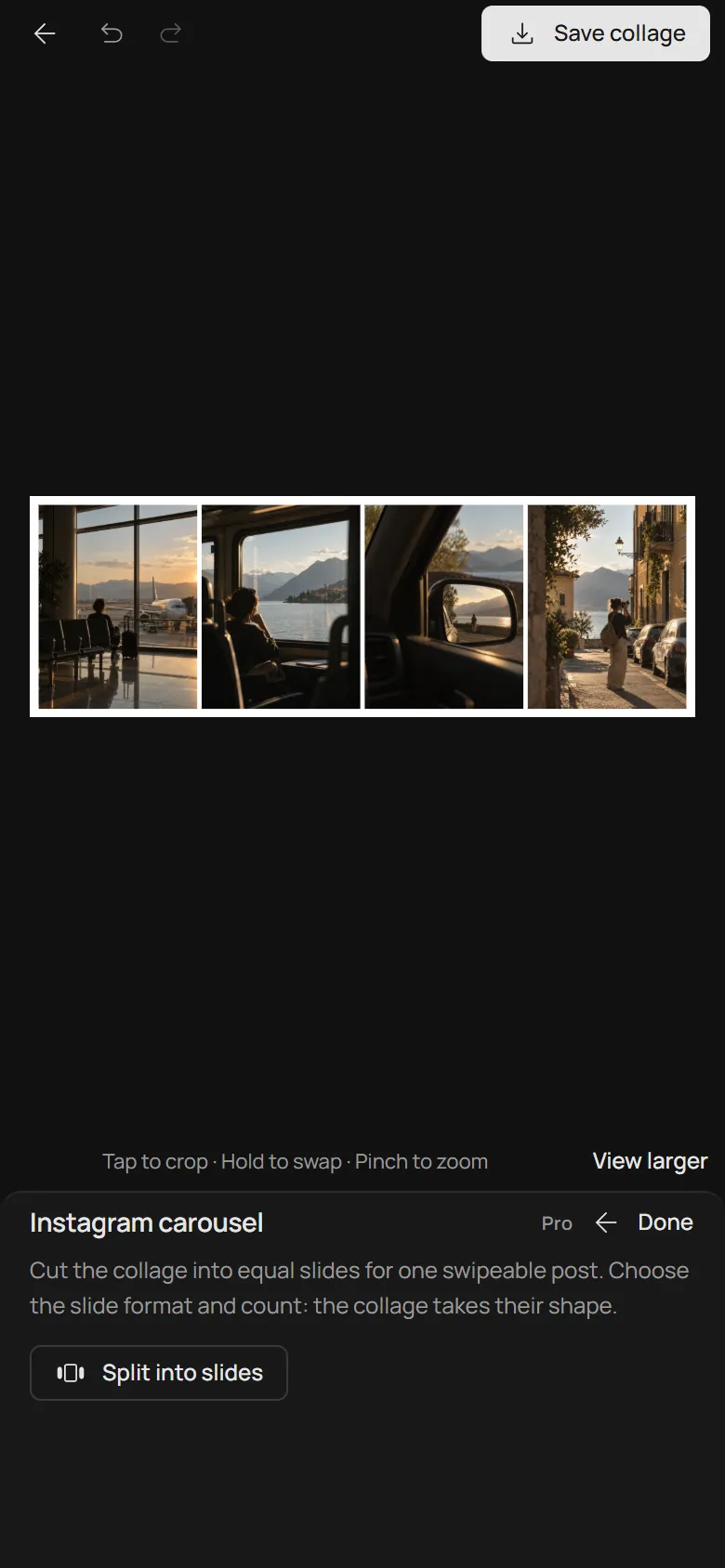
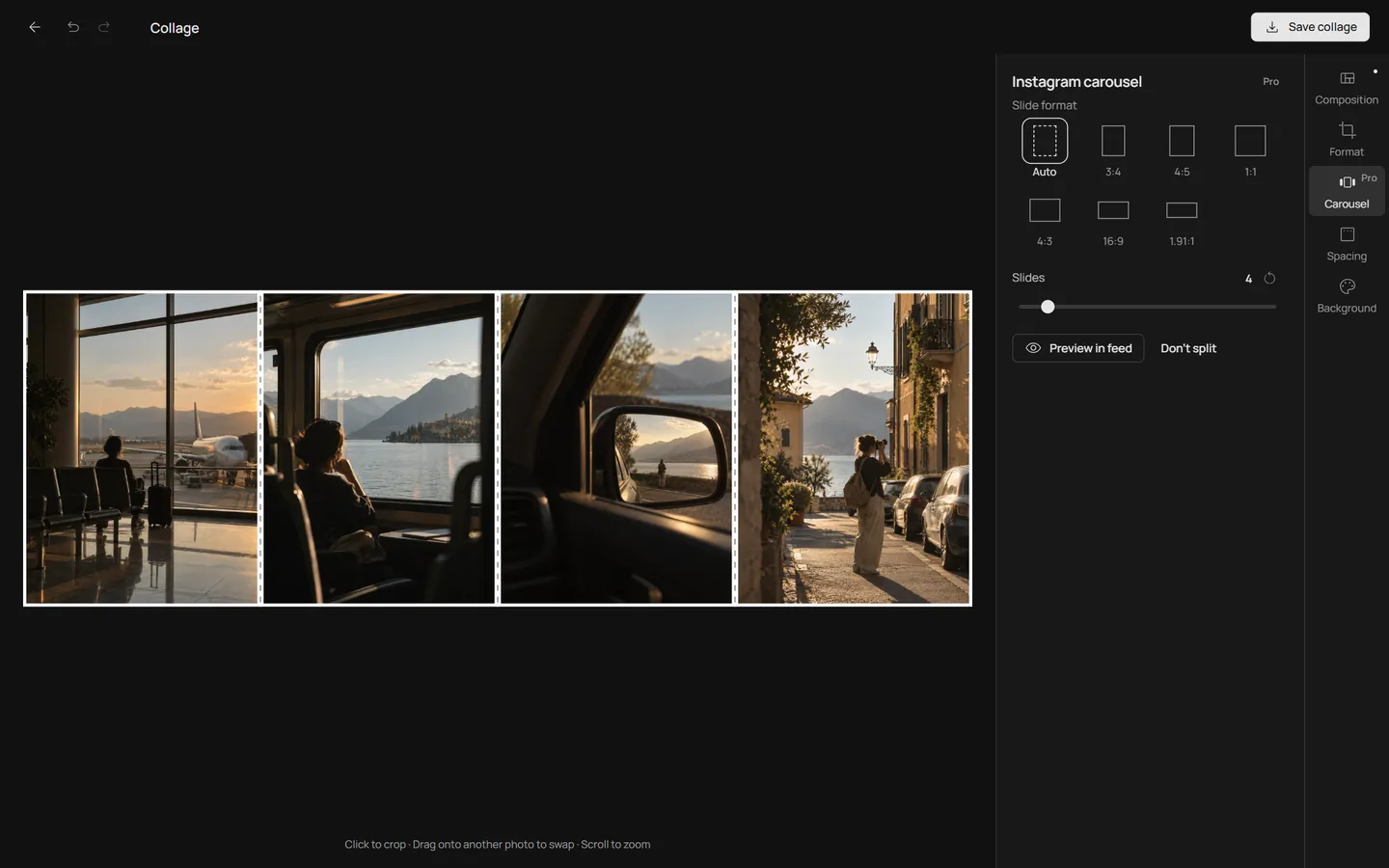
Open Carousel among the collage tools. One tap picks an Instagram format and the number of slides that change your collage the least.
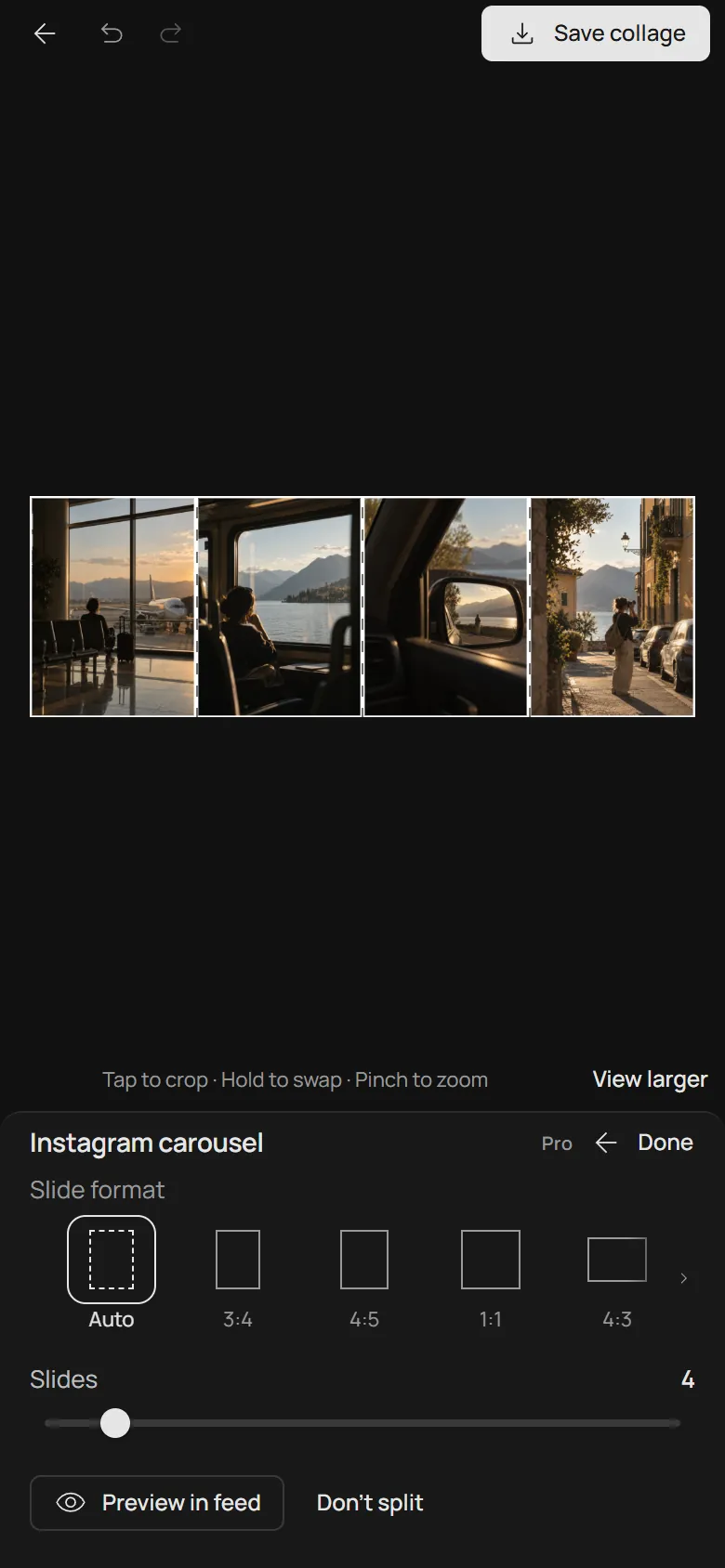
Pick another format or drag Slides from 2 to 20. The collage takes the new shape at once, and dashed lines show where each slide ends.
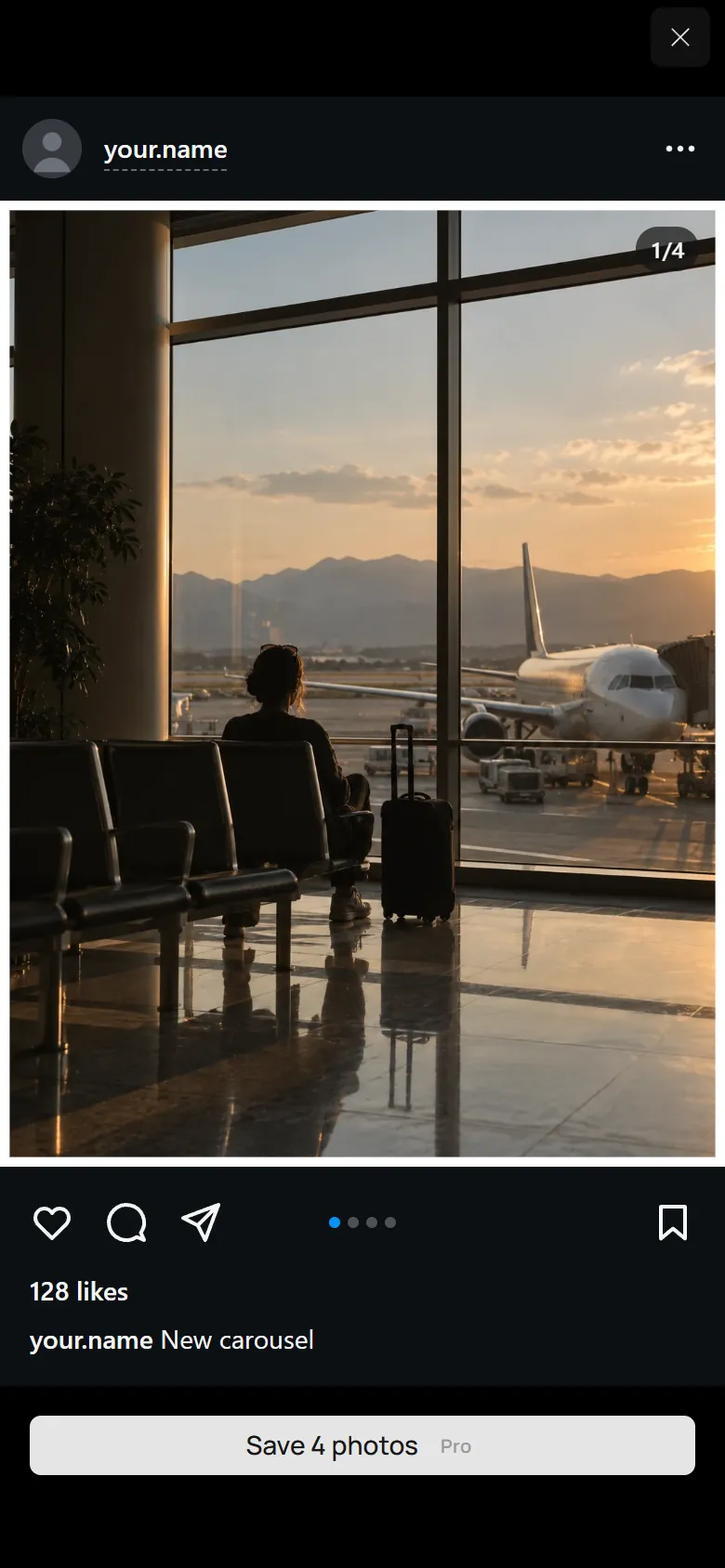
Preview in feed shows the post as your followers will see it. Save, and the slides arrive in posting order.
No grid to measure, no slides to crop by hand. The layout stretches across the slides, photos are re-cropped but never squeezed, and every composition works with any format and count.
Auto, 3:4, 4:5, 1:1, 4:3, 16:9 and 1.91:1. Each option is drawn in its real shape, and Auto picks the format closest to your collage.
In a row, every cut runs through the gap between two photos, so each photo gets its own slide and the same frame. In other layouts a photo can cross a cut and carry on into the next slide.
Preview in feed opens the carousel as a post: swipe through it, check every cut and type your username to see what your followers will.
Every slide is a JPEG 1440 pixels wide, the largest width Instagram keeps without scaling it down. The files are numbered in posting order, starting with photonica-carousel-01.jpg.
| Slide format | Size |
|---|---|
| 3:4 | 1440 × 1920 px |
| 4:5 | 1440 × 1800 px |
| 1:1 | 1440 × 1440 px |
| 4:3 | 1440 × 1080 px |
| 16:9 | 1440 × 810 px |
| 1.91:1 | 1440 × 754 px |
The share sheet opens with all the slides. Choose Save Images and they appear in Photos.
Each slide is saved as its own JPEG, so the slides appear in your gallery, where Instagram finds them. Chrome asks once to allow several downloads.
The slides are saved together in one file, photonica-carousel.zip.
In Instagram, start a new post and select the slides in order, beginning with the first. Keep their original format, and they join into one carousel that swipes like the preview.
Splitting, every setting and the feed preview are free. Saving the slides is part of Photonica Pro, which you can try free for 7 days without a card. Without Pro, you can still save the collage as one JPEG.
From 2 to 20, the most Instagram allows in one post. All slides share one format, as Instagram requires.
Each slide is a JPEG 1440 pixels wide. The height follows the format: 1920 px for 3:4, 1440 px for a square slide.
Yes. The collage is laid out once across all the slides and then cut, so a photo that crosses a cut continues pixel for pixel on the next slide.
Instagram uses one format for every slide in a post. Your slides already share one, so keep the original format when you post and every cut stays where you put it.
No app is needed: Photonica works in the browser on your phone or computer. Your photos are not uploaded; the collage and the slides are made on your device.
Visuals: Photonica’s original series. Collages assembled and exported in the editor. Instagram is a trademark of Meta Platforms, Inc. Photonica is not affiliated with Instagram or Meta.